This Mini PC Almost Broke Me...
🛍️ Products Mentioned (11)
5.5mm x 2.1mm DC Adapters
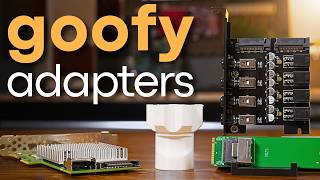
mPCIe to m.2 E Key
m.2 E to M Adapter
Crucial 1TB SATA SSD
Inland 2230 NVMe SSD
Patreon
Hardwarehaven Product
"Sunshower" - LATASHÁ(
"CRENSHAW VIBES" - GARRISON (
Go to
Kill-a-Watt
Go to https://www.piavpn.com/HardwareHaven to get 83% off from our sponsor Private Internet Access with 4 months free! *NOTE*: Sorry for the focusing issues. I missed a setting before I started filming and didn't catch it until it was too late. ► Want to support the channel and unlock some perks in the process? Become a RAID member on Patreon or YouTube! 🔓 Patreon: https://www.patreon.com/hardwarehaven 🔓 YouTube: https://www.youtube.com/channel/UCgdTVe88YVSrOZ9qKumhULQ/join ► Checkout items I used (includes affiliate links from which I may receive compensation): 🛍️ Kill-a-Watt: https://amzn.to/3AkxrIR 🛍️ 5.5mm x 2.1mm DC Adapters: https://amzn.to/3GM1RXh 🛍️ mPCIe to m.2 E Key: https://amzn.to/4fh8cXd 🛍️ m.2 E to M Adapter: https://amzn.to/3zD5hIK 🛍️ Crucial 1TB SATA SSD: https://amzn.to/3S3exLL 🛍️ Inland 2230 NVMe SSD: https://amzn.to/42zlHNr 🎥 Curious About the equipment I use to make my videos? Click Here ► https://hardwarehaven.media/gear --------------------------------------------------- Music (in order): "Hardware Haven Theme" -Me (https://youtu.be/FwD2mOYDPNA) "Sunshower" - LATASHÁ(https://soundcloud.com/best-music-pro...) "CRENSHAW VIBES" - GARRISON (https://soundcloud.com/garrison-brown) --------------------------------------------------- Timestamps: 0:00 Why do I have this problem? 0:53 Private Internet Access (Sponsor) 1:53 Acer Veriton N2620G 3:47 First Boot (and first issue) 4:59 Opening it up 5:24 Internal IO 6:05 HDD Replacement 7:18 Cleaning it up and replacing CMOS battery 8:30 Booting it up and running some benchmarks 9:34 Desktop Usage 10:20 Virtual Desktop with Moonlight 11:06 Slimline SATA and mini PCIe 13:12 Self Hosting (Proxmox, Home Assistant, etc) 14:27 Retro Emulation with Batocera... 15:00 I gave up.