
This New Colour E-Ink Tablet Nicely Surprised Me – Penstar Color E Note Pro
🛍️ Products Mentioned (4)


In this video I check out the new Color E Note Pro a 10.3” colour E-Ink tablet from Penstar. I look at the 300 PPI monochrome / 150 PPI colour display, the new capacitive touch screen (no more pen-only limitation), front light, AI camera for document scanning, and how well apps like Kindle on this device. I also put the colour layer and refresh behaviour up against Gallery 3 on the Paper Pro Move so you can see the differences in saturation, speed and overall writing experience. If you’re considering a colour E-Ink note-taking tablet for reading, handwriting, sketching or light productivity, this should give you a clear idea of where the Penstar Color E Note Pro sits in the current line-up. It’s a long video but don’t worry, I’ve added time stamps! 👉 Affiliate link: https://amzn.to/4p3vLa9 👉 Penstar eNote 2 - Worth the Upgrade? - https://youtu.be/q42AbPhkaHo 👉 Penstar eNote E Ink Tablet: Unboxing and First Look - https://youtu.be/hqTc-BHrmYM ——— 📩 Subscribe to my regular(ish) newsletter - https://markdkelly.substack.com ☕️ Buy me a virtual coffee - https://www.buymeacoffee.com/markdkelly75 I've collated a massive list of all my favourite things on my website 👉🏻 https://www.markkelly.me/affiliate-links Come follow me here: ✖️https://x.com/markdkelly75 🧵 https://www.threads.net/@markdkelly75 📷 https://www.instagram.com/markdkelly75 Disclaimer: Some of the product links in this description are affiliate links. If you click through and make a purchase, I may earn a small commission—at no extra cost to you. It helps support the channel and keeps the lights on (and the coffee flowing). Occasionally, products featured in my videos are sent to me for review. If that’s the case, I’ll always make it clear. I don’t accept payment in exchange for positive coverage, and all opinions are entirely my own. I test everything and give my honest take—whether it’s brilliant, baffling, or somewhere in between. This channel is about cutting through the noise and helping you figure out what’s actually worth your money. 00:00 Introducing the Penstar COLOR eNote Pro 00:45 Unboxing 02:00 Design and build 05:32 The stylus 09:27 The home screen and first impressions 12:28 Installing Apps (check out the Kindle app) 16:41 Testing the colour display 18:29 vs The reMarkable Paper Pro Move 26:41 Stylus button mapping 27:48 Final thoughts 29:47 Please like & subscribe #MarkKelly #TheSpark #Technology #eNote #DigitialNotetaking #Penstar #eInk #NoteTaking #DigitalNoteTaking #PenstareNote
About This Video
Frequently Asked Questions
🎬 More from The Spark!
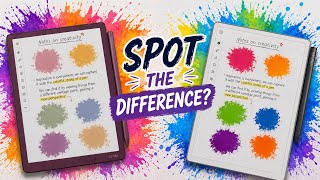
Which Colour E-Ink is Actually Better? (Kindle vs reMarkable vs BOOX)
890 views

Kindle Scribe Colorsoft - My First Impressions
4.9K views
The Ultimate MagSafe SSD Hub?
1.3K views

Kindle vs Kindle App — Which One I Use (and Why)
5.5K views
5 MORE Kindle Features You Should Be Using
3.1K views
5 Kindle Features You’re Probably NOT Using
18.5K views