
5 MORE Kindle Features You Should Be Using
🛍️ Products Mentioned (5)

I loved the response to the last Kindle Tips video (https://youtu.be/GlUTKfsFirs), so I wanted to share 5 more 'hidden' gems! Jump straight to the first tip here ➡ 0:34 In this video I look at: • Double-tap page turn • Disabling the touchscreen while reading • Sending documents and articles to your Kindle • Adjusting the boldness of fonts • Changing what the reading progress indicator shows If you use a Kindle regularly, there’s a good chance at least one of these will be new to you. If you enjoy practical videos about Kindles, E-Ink tablets, iPads and bits of tech that are actually useful, consider subscribing so you don’t miss future videos. Affiliate links: Kindle Paperwhite Signature Edition - https://amzn.to/45pfsug Kindle Scribe - https://amzn.to/40bfiVp I have made many Kindle-focused videos which I recommend you check out via this playlist: https://www.youtube.com/playlist?list=PLxi0EVUH0WIslAZuqB9Qsg8IzQ3nM1EY6 ——— 📩 Subscribe to my regular(ish) newsletter - https://markdkelly.substack.com ☕️ Buy me a virtual coffee - https://www.buymeacoffee.com/markdkelly75 I've collated a massive list of all my favourite things on my website 👉🏻 https://www.markkelly.me/affiliate-links Come follow me here: ✖️https://x.com/markdkelly75 🧵 https://www.threads.net/@markdkelly75 📷 https://www.instagram.com/markdkelly75 Disclaimer: Some of the product links in this description are affiliate links. If you click through and make a purchase, I may earn a small commission—at no extra cost to you. It helps support the channel and keeps the lights on (and the coffee flowing). Occasionally, products featured in my videos are sent to me for review. If that’s the case, I’ll always make it clear. I don’t accept payment in exchange for positive coverage, and all opinions are entirely my own. I test everything and give my honest take—whether it’s brilliant, baffling, or somewhere in between. This channel is about cutting through the noise and helping you figure out what’s actually worth your money. Time stamps: 00:00 Hello! 00:33 Double Tap 01:23 Disable Touchscreen 02:19 Send To Kindle 03:15 Bold Fonts 04:05 Like+Subscribe 04:28 Time Left In Book 05:07 Goodbye! @amazon @kindle
About This Video
Frequently Asked Questions
🎬 More from The Spark!
Which Colour E-Ink is Actually Better? (Kindle vs reMarkable vs BOOX)
890 views
Kindle Scribe Colorsoft - My First Impressions
4.9K views
The Ultimate MagSafe SSD Hub?
1.3K views

Kindle vs Kindle App — Which One I Use (and Why)
5.5K views
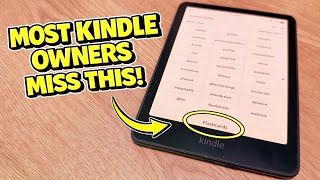
5 Kindle Features You’re Probably NOT Using
18.5K views

Latest Kindle Software Update Not Showing? Here’s How to Install It Manually
2.2K views