
Do More with Your Kindle Scribe - Try ReKindle!
🛍️ Products Mentioned (3)

Rekindle (rekindle.ink) is a free web app that runs inside the Kindle Scribe’s built-in browser and adds extra functionality without hacking or jailbreaking. It gives the Scribe a simple dashboard with tools like a calendar, tasks, weather and reference apps, all designed to work within the limits of E Ink. It doesn’t turn the Kindle Scribe into an iPad, but it does give the Scribe more capabilities, and it costs nothing to try! ——— 📩 Subscribe to my regular(ish) newsletter - https://markdkelly.substack.com ☕️ Buy me a virtual coffee - https://www.buymeacoffee.com/markdkelly75 I've collated a massive list of all my favourite things on my website 👉🏻 https://www.markkelly.me/affiliate-links Come follow me here: ✖️https://x.com/markdkelly75 🧵 https://www.threads.net/@markdkelly75 📷 https://www.instagram.com/markdkelly75 Disclaimer: Some of the product links in this description are affiliate links. If you click through and make a purchase, I may earn a small commission—at no extra cost to you. It helps support the channel and keeps the lights on (and the coffee flowing). Occasionally, products featured in my videos are sent to me for review. If that’s the case, I’ll always make it clear. I don’t accept payment in exchange for positive coverage, and all opinions are entirely my own. I test everything and give my honest take—whether it’s brilliant, baffling, or somewhere in between. This channel is about cutting through the noise and helping you figure out what’s actually worth your money. #markkelly #TheSpark #Technology
About This Video
Frequently Asked Questions
🎬 More from The Spark!
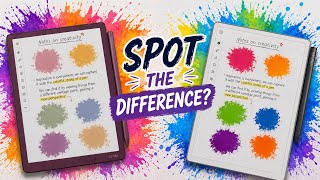
Which Colour E-Ink is Actually Better? (Kindle vs reMarkable vs BOOX)
890 views
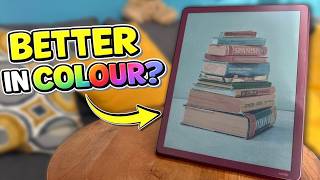
Kindle Scribe Colorsoft - My First Impressions
4.9K views
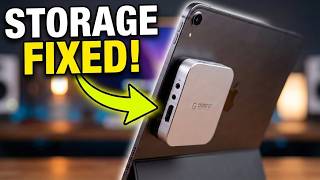
The Ultimate MagSafe SSD Hub?
1.3K views

Kindle vs Kindle App — Which One I Use (and Why)
5.5K views
5 MORE Kindle Features You Should Be Using
3.1K views
5 Kindle Features You’re Probably NOT Using
18.5K views