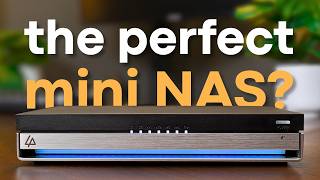
This 3D-Printed Home Server Is INCREDIBLE
🛍️ Products Mentioned (17)
The Performance Package 5.0 Ultra for 15% OFF + Free International Shipping this holiday season with promo code “HARDWAREHAVEN15" at
MASS NAS Case
Website
Amazon Link (affiliate)
Elegoo Rapid PETG
Power Button
Case Screws
Long Torx Bits
140mm Noctua Fan
120mm Slim Noctua Fan
PCIe SATA Adapter
M.2 SATA Adapter
QNAP PCIe Card
Power Supply
Patreon
Hardwarehaven Product
"CRENSHAW VIBES" - GARRISON (
Get The Performance Package 5.0 Ultra for 15% OFF + Free International Shipping this holiday season with promo code “HARDWAREHAVEN15" at https://manscaped.com/hardwarehaven ► Want to support the channel and unlock some perks in the process? Become a RAID member on Patreon or YouTube! 🔓 Patreon: https://www.patreon.com/hardwarehaven 🔓 YouTube: https://www.youtube.com/channel/UCgdTVe88YVSrOZ9qKumhULQ/join Check Out These Creators: - https://www.youtube.com/@makerunit - https://www.youtube.com/@TechByMattB - https://www.youtube.com/@LuckyRustTech ► MASS NAS Case: https://modcase.com.au/products/nas?srsltid=AfmBOoqVngkywpRymVcZIYHDWfh9uJF7jblUkSVucGPfCA4IZMH79yzK ► Minisforum ITX Board: - Website: https://s.minisforum.com/3SlhR4X - Amazon Link (affiliate): https://amzn.to/3Fqw7Xi ► Checkout items I used (includes affiliate links from which I may receive compensation): 🛍️ Elegoo Rapid PETG: https://amzn.to/4dydcqg 🛍️ Power Button: https://amzn.to/3HkDpMQ 🛍️ Case Screws: https://amzn.to/43sskku 🛍️ Long Torx Bits: https://amzn.to/43Q7Q5t 🛍️ 140mm Noctua Fan: https://amzn.to/3H5R62i 🛍️ 120mm Slim Noctua Fan: https://amzn.to/3ZkS8hh 🛍️ PCIe SATA Adapter: https://amzn.to/3FgihXC 🛍️ M.2 SATA Adapter: https://amzn.to/3HkDEaI 🛍️ QNAP PCIe Card: https://amzn.to/3ZwgmF3 🛍️ Power Supply: https://amzn.to/4duwiNP 🎥 Curious About the equipment I use to make my videos? Click Here ► https://hardwarehaven.media/gear --------------------------------------------------- Music (in order): "Hardware Haven Theme" -Me (https://youtu.be/FwD2mOYDPNA) "CRENSHAW VIBES" - GARRISON (https://soundcloud.com/garrison-brown) "Wallflowers" - @badsnacks --------------------------------------------------- Timestamps: 0:00 My First 3D Printed Case 0:44 The Design 2:00 The Color Scheme 2:53 Manscaped - Sponsor 4:24 Printing The Parts 5:54 Motherboard Specs 7:40 The Rest Of The Components 8:47 Motherboard Performance/Benchmarks 10:29 Assembling the Case 13:32 Powering It On & Proxmox Setup 15:05 Things I Would've Done Differently 16:12 Thoughts on the MASS Case