
How to Install CROSSOVER on MacBook M1 M2 M3 M4 | Install Windows Applications on Mac
🛍️ Products Mentioned (1)
Install CrossOver (15% off): https://www.codeweavers.com/store?ad=XXX;deal=TOMMYDOAN15 CrossOver is one of the best Windows simulators for MacBook with M-Series, especially for gaming. It outperforms Parallels 18 and VMware Fusion Pro in this regard. The interface is straightforward and user-friendly. In this video, I'll clearly instruct you on how to install the latest version of CrossOver and get a 14-day trial. After that, I'll show you the advanced bottle settings to ensure you get the best gaming experience. Additionally, I've included a playlist with game performance tests, so be sure to check that out. Here are the links mentioned in the video: Install CrossOver (15% off): https://www.codeweavers.com/store?ad=XXX;deal=TOMMYDOAN15 GTA 5 Game Performance on Mac M1 Pro 14 inch using CrossOver: https://youtu.be/7f-QUO3wu34 CyberPunk 2077 Game Performance on Mac M1 Pro 14 inch using CrossOver: https://youtu.be/rHJvvULaagU Installing Windows 11 on Parallels 18: https://youtu.be/JkuXTrV1vKA 00:21 Introduction 00:47 What is CrossOver? 01:33 How to install CrossOver? 02:18 Protips for you 03:10 Customize advanced settings 03:28 Compare with Parallels 18 03:39 Please Subscribe ➣ Follow me on social: Instagram: https://www.instagram.com/tommydoan34/ YouTube: https://www.youtube.com/channel/UCTitrafg1mgyPb0bl_9pNkg/featured crossover on mac, download crossover mac, how to install crossover on mac, how to install windows on mac, mac m1, mac m2, mac m3, mac m4 #mactips #installation #crossover
🎬 More from Tommy Doan

MacBook NEO for Work… Better Than You Think?
1.6K views

Finally, a Good Gaming Mouse for Mac? Rapoo VT2 Max
526 views

MacBook NEO Gaming is BAD 🥲 (10 Games Tested)
4.8K views
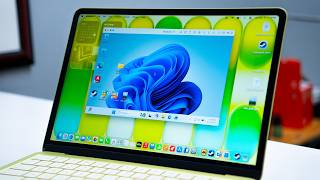
MacBook NEO Running Windows 11 | Testing Microsoft Office, AutoCAD & Games
9.1K views

Why is This MacBook NEO Running Games? 🙄 5 Games Tested
6.9K views

Can You REALLY Play COD Mobile on Mac?
7.1K views