Vigyata.AI
Is this your channel?

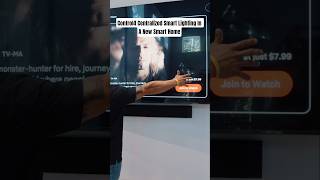
Control4 Centralized Smart Lighting In A New Smart Home

169 views· 10 likes· 3:01· Feb 10, 2026

About This Video

In this video I’m on a real Texas jobsite—mid-construction—field testing how fast you can bring Josh.ai online with an existing Control4 system. The big thing I always tell people is: get your Control4 infrastructure right first. That means clean, consistent naming on your lights, TVs, and streaming devices (like Rokus). If you do that upfront, when you “port” everything over you’re not stuck editing room names and devices later—it shows up the way you actually want it to be. Once the Control4 side is solid, I download the Josh.ai driver and add it in. No IP address, no sign-in—nothing. Honestly, not a lot of integrations work that smoothly, and I’m impressed with how they pulled it off. You’ll literally watch rooms start populating on the phone as it imports—kitchen, laundry, living room, the whole deal. From there it’s quick: I can say “living room lights off” and it hits instantly. For AV control, there’s a small backend step where I link the room and device (like the living room Roku) inside Josh’s setup, and then commands like “watch Netflix in the living room” just work. If your Control4 project is intact, you’re looking at roughly 15–20 minutes to get reliable voice control for lights and entertainment—and Josh can even stack multiple commands in one request.

Frequently Asked Questions

🎬 More from Empire AV Services