
Using StreamDeck to control ProPresenter 7, LightKey, OBS for Streaming
🛍️ Products Mentioned (1)
Setup the StreamDeck to control Pro7, LightKey, Spotify and OBS. This device is a HUGE AID in Live Streaming, especially with Pro7. I'd love to answer your Questions, or hear your feedback to this video. Leave a Comment, or Send me an email! CrazyAmazingNathan@gmail.com Did you know? I offer Personalized ProPresenter 7 Training as well as Church Production Consulting/ Coaching. All the info can be found at www.CrazyAmazingDesigns.com *Quickly setup a new computer with my ProPresenter 7 Template. https://www.crazyamazingdesigns.com/shop/p/propresenter-7-setup-template INDEX 00:00 - Getting Started on StreamDeck 02:28 - Starting by Controlling Pro7 05:54 - Pro7 Template at www.CrazyAmazingDesingns.com 07:08 - Toggle Capture to Start and Stop Streaming ProPresenter 7. 08:31 - Setup Stream Specific Videos from Streamdeck 11:05 - Control Spotify 11:42 - Control LightKey as it controls DMX Fixtures 14:43 - Trigger Videos as "Source Visibility" in OBS Studio 16:53 - Thank You for Watching and Supporting!
🎬 More from Crazy Amazing Designs
Installing a Conference Room (Control System) with BitFocus Companion/ StreamDeck
2.9K views
Controlling LED Lights with StreamDeck (BitFocus Companion)
1.3K views
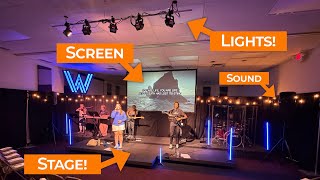
Building a Mobile Audio/ Video / Lighting Setup for Young Adult Ministry
1.9K views
2025 was Filled with Crazy FUN Projects at Crazy Amazing Designs
870 views
Import .PPTX as Editable Presentation | ProPresenter V21
1.0K views
Introducing my LED Christmas Tree Controller built for Live Events | Crazy Amazing Designs
978 views