
Altium Designer Tutorial for Beginners: Power Analyzer by Keysight
🛍️ Products Mentioned (9)
The Keysight Power Analyzer Tool Free Trial
Power delivery of a printed circuit board (Altium Guide + Files)
We sell these awesome products, check them out here
Try Altium Develop for free
Altium + 365 25% Off
Full Stack Hardware Engineer Mentorship
Our Website
2. Try ECAD Basic Connector for FREE
NEW Methodical Method to Hardware & PCB Design
Altium + 365 free: http://altium.com/yt/techedkirschmackey Full Stack Hardware Engineer Mentorship: https://academy.hasofu.com/course/prohwe Altium 365 Free Trial: https://www.altium365.com/sign-up?utm_source=youtube&utm_medium=social&utm_campaign=gbl-a365-web-techedkirsch-11014 NEW Methodical Method to Hardware & PCB Design - https://academy.hasofu.com/course/pcb-design-process-10phase-method Hi, thanks for watching our video about Altium Designer Tutorial for Beginners: Power Analyzer by Keysight! In this video we’ll walk you through: - Altium Designer (Free Trial and Discount): https://www.altium.com/yt/kirschmackey - The Keysight Power Analyzer Tool Free Trial: https://www.altium.com/products/extensions/power-analyzer/features - Power delivery of a printed circuit board (Altium Guide + Files): https://www.altium.com/documentation/power-analyzer/altium-power-analyzer-quickstart-guide#!the_component_card Due to the demands placed on the design's DC Power Delivery Network by high-speed circuitry, densely populated boards, and multiple low-voltage supply rails, modern digital systems must be designed analytically. In other words, that the planes, tracks, and vias on the board are of sufficient size (and characteristics) to meet the power consumption requirements of the devices on the board. This is what the DC analysis of a Power Delivery Network, or the results of its DC Power Integrity (PI-DC), aims to ensure: that adequate copper has been provided in the path from the voltage sources to the loads. Fortunately, by using a DC Power Integrity (PI-DC) simulation tool, which evaluates a board design's DC performance based on its electrical and physical attributes, the examination of a PCB's power delivery network may be done without the need of guessing. For Altium Designer, Keysight's Power Analyzer is such a tool. The Power Analyzer, which is available as a free Altium Extension, interacts seamlessly with Altium Designer to provide PI-DC modeling and analysis of the present PCB project. The Power Analyzer can be launched from the schematic or PCB editor, the desired test parameters can then be set, and the simulation can be run. Because the Power Analyzer is integrated into Altium Designer, there are no manual data import/export requirements, data conversions, or separate applications to be launched. The circuit board copper layout is primarily represented in 2D and 3D models, which makes it possible to quickly examine the findings and test the PCB layout design in hypothetical scenarios. TIMESTAMPS 0:00 Intro 1:00 How to install the extension 1:52 Activate License 2:09 Example design files 3:01 Preparing the Schematic before power analysis 6:35 Power Analyzer Setup 7:46 Power Circuit Topology 8:49 Adding a Power Net for Simulation 12:02 Add voltage regulator modules (VRMs) 13:25 Finding datasheet + Octopart 15:18 Power Trees 16:16 How to Navigate Schematic Nets 16:27 How to add load devices to 5V 18:20 How to Show Power Hierarchy/Tree 18:48 Adding load devices to any secondary power tree (3.3V) 20:55 Verify your secondary (3.3V) power tree 21:39 Adding a second VRM as a load (the 1.8V VRM) 25:25 How to Simulate the PCB Power Network - review results 26:33 Power Analyzer Panel 27:34 How to Take snapshots for reports 27:53 Adjust heat map settings 27:56 Show current flow direction 28:37 Voltage drop analysis 29:34 Current density in all nets 30:53 How to probe specific points - find voltage gradients 31:45 Generate report 34:21 Export files to Altium Viewer 34:54 My recommendations and thoughts on the software Next steps ABOUT OUR CHANNEL Our channel is about understanding technology from an engineering perspective, especially for PCB designers. We cover lots of cool stuff such as artificial intelligence, electronics engineering and software engineering Check out our channel here: https://www.youtube.com/channel/UCt4b6fKU3qd9blVN8t7U5Pg Don’t forget to subscribe! CHECK OUT OUR OTHER VIDEOS and THE HASOFU CHANNEL https://www.youtube.com/@hasofuacademy5297 https://youtube.com/playlist?list=PLDclr_SCaTAxEpaE0uf9RDQUNtW5YSoxW https://youtube.com/playlist?list=PLDclr_SCaTAyK0rYIuYq-JDinkGS--vhh We sell these awesome products, check them out here: https://academy.hasofu.com/course/ha105-power-pdn https://academy.hasofu.com/course/prohwe https://youtube.com/playlist?list=PLDclr_SCaTAxEpaE0uf9RDQUNtW5YSoxW FIND US AT https://www.hasofu.com/ GET IN TOUCH Contact us on support@hasofu.com FOLLOW US ON SOCIAL Get updates or reach out to Get updates on our Social Media Profiles! Twitter: https://twitter.com/techedkirsch Facebook: https://facebook.com/techedkirsch Instagram: https://twitter.com/techedkirsch
🎬 More from TechEdKirsch
Hardware PCB design best practices for adding components (shown using Altium)
169 views

How Do Companies Create Hardware Products? Process Overview for Electrical Engineers
128 views
What is Altium Doing in 2026? Altium Develop and Agile The Best for Hardware Companies???
222 views
Altium Develop - Adding components to your workspace (for SMBs)
143 views
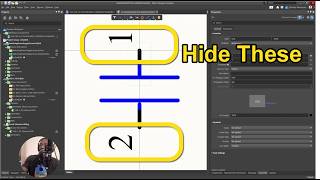
Altium Designer Tip - How to Make Pin Numbers Not Visible for Teams and Enterprise
48 views

Altium Designer Develop 2026 Part 1 - Installation and What is it?
481 views