
Altium 365 Library Component Part Editing Tutorial
🛍️ Products Mentioned (6)
Altium + 365 free: http://altium.com/yt/techedkirschmackey Full Stack Hardware Engineer Mentorship: https://academy.hasofu.com/course/prohwe Altium 365 Free Trial: https://www.altium365.com/sign-up?utm_source=youtube&utm_medium=social&utm_campaign=gbl-a365-web-techedkirsch-11014 Become a COMPLETE Altium Master -- https://hasofu.samcart.com/courses/course/aecad-crash-course-altium/ Coupon Code for 30% off - "COMPLETE30" ✅GET Altium Designer FREE HERE:https://www.altium.com/yt/kirschmackey (Bonus Free Altium Trial + DISCOUNTED PRICING FOR STUDENTS) ➡️ALTIUM DESIGNER FREE FULL TUTORIAL 2022: https://youtube.com/playlist?list=PLDclr_SCaTAxEpaE0uf9RDQUNtW5YSoxW ➡️WHAT’S NEW IN ALTIUM DESIGNER 2022: https://www.altium.com/altium-designer/whats-new#update-226-1 As a hardware engineer, electronics engineer and control systems expert, I routinely run into old library parts I'm expected to use for new designs. I rather just work with new parts that are managed in the cloud...but I have to be able to edit them. So in this Altium Designer Tutorial, I show you how to perform Altium 365 Library Component Part Editing to give you the best experience in part management for PCB layout. I created this because I got a question on how you would edit a library component part in Altium Designer. Whether you’re using Altium Designer 21 or 22 this one of the PCB design tips I wish I had picked up when I first got started with Altium 365. As an electronic engineer, Altium 365 provides the best user experience I’ve ever had in managing parts, doing collaboration for circuit design and printed circuit board projects. In my previous roles as a hardware designer, I would manage my library components locally. Now I do most of my PCB designs and circuit schematic designs using the Altium 365 library environment. In this video we take a look at the process of editing parts in the Altium 365 library. We'll cover how to add new parts, change part properties, and then committing these changes to the Altium 365 cloud so that other electrical and electronic engineers can work on the latest version of your parts. Try to get a dedicated PCB librarian into the collaboration efforts for your projects, too. Like Tom Hausherr said, PCB design optimization starts in the CAD library. 00:03:28:06 - 00:03:53:15 For Altium 365 Components you can add any parameters you feel like, such as links, datasheet parameters, part choices, options, simulation, everything. Then right click can hit, save, could close and then make changes to the server. 00:03:53:15 - 00:04:19:06 Altium 365 environment will even warn you when the part is not placed in a specific category. This handy feature lets me organize my parts and keep me productive. I don't want to lose a bunch of time and important files just because I skipped organization steps. 00:04:20:15 - 00:04:55:19 An important step for team collaboration in PCB designs, is to state the reason for changes made to a part or design. This clears up any confusion about why we do what we do as designers/engineers and lets us know if it's safe to use a footprint or component. 00:04:55:19 - 00:05:15:11 Now we can see that the component along with its footprint is updated and saved on the server. Voila. This is how you update your parts in Altium 365 or "the cloud". I routinely create PCB design courses. So if you want more Altium designer PCB tutorials, contact my company website. I show you the full set of professional PCB design techniques. You learn professional PCB layout. By the way, if you’re looking for a tutorial done in Altium Designer 20, then you can still use this tutorial series. 🌟 Follow my Altium Designer Tutorial for beginners, which contains proven steps and strategies on how to navigate your way through the printed circuit board design process to design your own printed circuit board! https://youtube.com/playlist?list=PLDclr_SCaTAxEpaE0uf9RDQUNtW5YSoxW It covers almost every basic question that someone in industry will expect you to do as a beginner PCB designer. What is Electrical engineering? ⬇️ DOWNLOAD My 7 Secrets to Become a Confident Pro Hardware Engineer EBOOK - CLICK the link below to join the group and get the PDF for free 🔥 🔥 Facebook Group: https://www.facebook.com/groups/1150942355298671 LinkedIn Group: https://www.linkedin.com/groups/13877175/ 🔴🌟FOR BUSINESS EMAILS:- kirsch@hasofu.com ⚠️For Online Courses and More Information: ➡️ academy.hasofu.com ________________ 👇 SUBSCRIBE TO THE TECH ED KIRSCH (TEK) YOUTUBE CHANNEL NOW 👇 https://www.youtube.com/channel/UCt4b6fKU3qd9blVN8t7U5Pg ________________ ★☆★ CONNECT WITH ME ON SOCIAL MEDIA ★☆★ 👉🏾 LinkedIn:https://www.linkedin.com/in/knmackey/ 👉🏾 Facebook:https://www.facebook.com/kirsch.mackey 👉🏾 Instagram: :https://www.instagram.com/techedkirsch/
🎬 More from TechEdKirsch
Hardware PCB design best practices for adding components (shown using Altium)
169 views

How Do Companies Create Hardware Products? Process Overview for Electrical Engineers
128 views
What is Altium Doing in 2026? Altium Develop and Agile The Best for Hardware Companies???
222 views
Altium Develop - Adding components to your workspace (for SMBs)
143 views
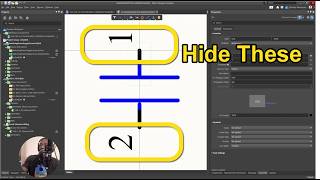
Altium Designer Tip - How to Make Pin Numbers Not Visible for Teams and Enterprise
48 views

Altium Designer Develop 2026 Part 1 - Installation and What is it?
481 views