Vigyata.AI
Is this your channel?

Beginner's Guide on the Lovelace Dashboard Editor

19.2K views· 201 likes· 21:53· Oct 6, 2020

🛍️ Products Mentioned (1)

Going through the Dashboard Editor (Yes my Webcam died 3/4 of the way through the video, but this isn't for my beautiful face it's for the content) Sponsor Me: https://github.com/sponsors/zsarnett

About This Video

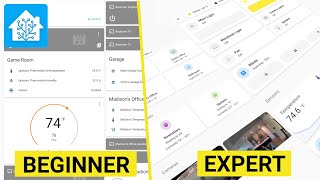
In this video I walk through the Lovelace Dashboard Editor (aka the visual/UI editor) in Home Assistant, starting from the default “generated” dashboard and then showing what it really means to “take control.” That popup sounds scary to a lot of people, but it’s honestly super simple: once you take control, Home Assistant stops auto-adding new devices/entities to your views, and you’re the one creating the cards and badges. I also show the “start with an empty dashboard” option so we can build things from scratch and actually understand what’s happening. From there, I create a new view (title, icon, URL, and a quick note on themes), then add cards using the card picker—starting with the Entities card. I show how to add/remove entities, reorder rows, set a title, and mention the “Show code editor” button if you want to go more advanced with YAML later. After that we speed-run adding a few more cards, talk about why card placement can feel a little weird (it’s balancing column heights), and cover the big card actions: move, duplicate, delete, and move-to-view. I wrap up with view-level features like panel mode (single card full screen), deleting views (and how that deletes the cards too), adding badges, setting view visibility per user, renaming the overall dashboard title, and using “Unused entities” to quickly add suggested cards for entities you haven’t placed yet.

Frequently Asked Questions

🎬 More from Zack Barett