Vigyata.AI
Is this your channel?

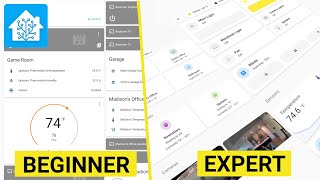
Beginner's Guide on the Entities Card

6.6K views· 121 likes· 5:43· Sep 27, 2020

🛍️ Products Mentioned (2)

Guide on creating a new Entities card. This is the first video in a series of Lovelace Tips and Tricks. The series will go over the User Interface Editors of the cards, little tricks you may not know about, and going over new features that will be releasing. Entities Card Documentation: https://www.home-assistant.io/lovelace/entities/ Github Sponsors: https://github.com/sponsors/zsarnett

About This Video

Today I kicked off a new series I’m calling Lovelace Tips and Tricks, where I’m going to do quick, practical walkthroughs of cards, UI editor features, little stuff you might not know, and even some “inside scoop” on what’s coming in upcoming releases. For the first video, I kept it super simple: building an Entities card from a totally blank dashboard view, using the visual editor so you can see everything update live as you change it. I walk through the main Entities card options like setting a title, where theming fits in (I’ll cover that more later), and what the “show header toggle” actually does. The big takeaway there is that the header toggle only appears when you have at least two entities that can be toggled, and it lets you control all those toggleable entities at once. I also show “color icons based on state,” which gives you a cleaner visual cue for on/off—like going from blue to yellow when something turns on. Then I get into the everyday stuff you’ll actually use: adding entities (like a garage door cover), removing them, and reordering rows. I also call out the newer drag-and-drop behavior that cleans up the UI compared to the old arrow buttons. The Entities card is basic, but it’s honestly one of the most-used cards because it lets you display a lot of different entity info in one place.

Frequently Asked Questions

🎬 More from Zack Barett