
3 Different ways to use ACES in DaVinci Resolve.
🛍️ Products Mentioned (3)


Hey! Looking for professional video editing, impactful color grading, or dynamic motion graphics? I'd love to help! Email me at ck.safwan8@gmail.com or connect on socials attached below. Check out my portfolio here: https://drive.google.com/drive/folders/1h4baobwRGouinPIbpaldJGBQf4VrtAdq Video looking at ways to use ACES color space in different color spaces available in DaVinci Resolve ACES color space and DaVinci Resolve Fusion. Problems and Solutions. https://youtu.be/TXppEwsexnM Subscribe for more. #techcycle #davinciresolve #davinci #resolve #davinciresolve18 #resolve18 #davinci18 #video #editing #editingtips #editingtutorial #davinciresolvetutorials #tutorial #howto #guide #tips #tipsandtricks Support us by using our affiliate link: Amazon: https://amzn.to/37OyL3e (International) http://amzn.to/2x8PED7 (India) Social Media Twitter: https://twitter.com/TechCycleYT Instagram: https://www.instagram.com/cksafwan
About This Video
Frequently Asked Questions
🎬 More from TechCycle

Shosetsu: Android application to READ NOVEL.
9.3K views
How to recover deleted DaVinci Resolve project
14.4K views
3 ways to improve DaVinci Resolve Fusion PERFORMANCE
2.7K views
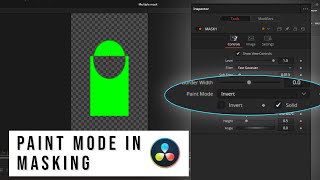
Paint mode in Mask. DaVinci Resolve Fusion.
2.3K views
ACES color space and DaVinci Resolve Fusion. Problems and Solutions.
878 views
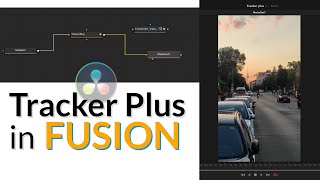
Tracker Plus in Fusion. DaVinci Resolve. Reactor effect.
810 views