
Where I use iPAD PRO over MacBook
🛍️ Products Mentioned (1)
How I Use iPad Pro With My MacBook | Ultimate Productivity Setup (Magic Keyboard + Apple Pencil Pro) In this video, I break down how I actually use the iPad Pro alongside my MacBook to boost productivity, stay focused, and work more efficiently—whether I’m at home, in the office, or working remotely. This isn’t a spec review. This is a real-world workflow showing how the iPad Pro, Magic Keyboard, and Apple Pencil Pro fit into my daily setup for planning, deep focus, remote work, and versatility. If you’re wondering whether the iPad Pro can truly complement or even replace—parts of your MacBook workflow, this video will help you decide. ▶️ Subscribe to JOINFAIZANJ for more tech reviews and home office inspiration: https://youtube.com/@Joinfaizanj 📸 Follow on Instagram for daily desk setups & gear: https://www.instagram.com/joinfaizanj 📹 Watch BTS + extras on TikTok https://www.tiktok.com/@joinfaizanj 🖥️ All My Gear & Desk Setup https://beacons.ai/joinfaizanj 📬 Business Inquiries joinfaizanj@gmail.com Timecodes 0:00 - iPad and MacBook setup 0:45 - iPad for Deep Focus & Planning 2:10 - iPad as Remote Workstation 3:40 - iPad as Creator Studio 4:37 - Final thoughts
About This Video
Frequently Asked Questions
🎬 More from Faizan Jahangir

I Got Apple’s Cheapest MacBook Neo… First Impressions
11 views
I Switched from iPhone to S26 Ultra… I Didn’t Expect This
10.9K views
Plan Your Desk Setup (I wish someone had told me this) | Desk Setup Series Pt.2
928 views
Plan Your Desk Setup (I wish someone had told me this) | Desk Setup Series Pt.1
2.5K views
iPad Pro M4 vs M5 – Multitasking Just Got Smarter (But Don’t Upgrade Yet)
2.8K views
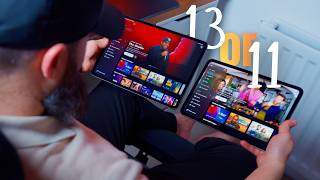
iPad Pro 11-inch vs 13-inch – Which One Should You Buy?
36.1K views