
Galaxy Z Fold 7 x Apple Ecosystem – The Perfect Work Combo?
🛍️ Products Mentioned (1)
I’ve been using the Samsung Galaxy Z Fold 7 alongside my Apple setup — the MacBook, iPad, iPhone, and Apple Watch — and honestly, it fits in better than I expected. In this video, I break down exactly how I use the Fold 7 as a productivity extension to my Apple ecosystem — from work apps and multitasking to travel, note-taking, and file management. This isn’t about switching from Apple. It’s about how a foldable like the Galaxy Z Fold 7 can complement your existing workflow and actually make you more efficient. 📌 In this video: How the Galaxy Z Fold 7 fits into my Apple workflow Productivity apps I use across Apple & Samsung devices Split-screen multitasking and file management Using Galaxy Fold with AirPods, Mac, and iPad Real-world pros and cons after a month of use My honest take — does Fold 7 really belong in an Apple setup? ▶️ Subscribe to JOINFAIZANJ for more tech reviews and home office inspiration: / @joinfaizanj 📸 Follow on Instagram for daily desk setups & gear: / joinfaizanj 📹 Watch BTS + extras on TikTok / joinfaizanj 🖥️ All My Gear & Desk Setup https://beacons.ai/joinfaizanj 📬 Business Inquiries joinfaizanj@gmail.com Timecodes 0:00 - Intro 0:20 - Where does Fold 7 fit 2:52 - Multitasking 3:54 - Work life balance 5:14 - Fold 7 within Apple eco System 6:59 - Final words
About This Video
Frequently Asked Questions
🎬 More from Faizan Jahangir

I Got Apple’s Cheapest MacBook Neo… First Impressions
11 views
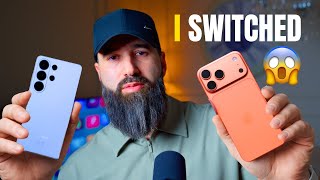
I Switched from iPhone to S26 Ultra… I Didn’t Expect This
10.9K views
Plan Your Desk Setup (I wish someone had told me this) | Desk Setup Series Pt.2
928 views
Plan Your Desk Setup (I wish someone had told me this) | Desk Setup Series Pt.1
2.5K views

iPad Pro M4 vs M5 – Multitasking Just Got Smarter (But Don’t Upgrade Yet)
2.8K views
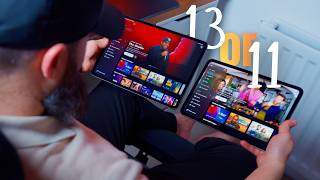
iPad Pro 11-inch vs 13-inch – Which One Should You Buy?
36.1K views