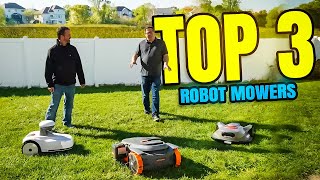
Blix Robot Mower Reviewed: Setup, First Weeks & What You Need to Know
🛍️ Products Mentioned (2)


Please subscribe by clicking here: https://www.youtube.com/channel/UCpZYk1Lmqna3TKUnGIq1FIg?sub_confirmation=1 I’ve been testing the Blix robot mower for several weeks now — it started in our front yard and has now moved into the backyard, fully fenced in for security. In this video I walk you through everything from the initial setup (yes, you do need to update firmware and the app), to daily performance, navigation/slope handling, app features, and some minor hiccups I encountered. Key specs: the Blix covers up to ~1 acre (≈4,000 m²) of turf, handles slopes up to ~65% (≈33°), uses LiDAR + RGB vision sensor fusion for navigation, has a cutting width of 260 mm (≈10″), and supports app scheduling + OTA firmware updates. What I found: Setup was straightforward: download the app, update firmware, map the perimeter using your phone/robot, schedule the runs. The robot has been running daily without intervention for weeks — it reports back through the app, sends pictures of any “events”, shows where wheel slip happened, etc. On slopes and tricky terrain: In our backyard it did very well; on steeper side yard slopes I noticed some slipping (the optional wheel-spike accessory may help on wet/sloped areas). It does not require a buried boundary wire or external RTK antenna for positioning, thanks to the LiDAR + vision system. A few cautions: the version I had was a “high-cut” model (40-80 mm cutting height) and this wasn’t called out on the box — you’ll want to double-check your version. Also, the robot’s “garage” area got shaded and damp from a sprinkler hit, delaying its drying; something to watch for in your set-up. For homeowners looking to “set and forget” their lawn maintenance, the Blix is a very compelling choice — assuming your yard fits the size/slopes and you accommodate the few caveats. If you enjoyed this video, hit that like button, subscribe for more tech + home-automation reviews, and let me know in the comments what you want me to test next. — Timestamps 0:00 Intro & first impressions 1:00 Setup walk-through + firmware/app update 2:00 Mapping & scheduling 3:00 Performance in backyard and slope test 4:30 Cut quality & feature review 5:30 Final thoughts & recommendation Midwest Turf Tech: https://www.midwestturftech.com?ta_aff=brandon Check out our other product recommendations - https://www.amazon.com/shop/BrandonDoyleMN