
Install WordPress on VPS in 10 Minutes - Beginner Friendly
🛍️ Products Mentioned (4)
In this video I will show you how to Install and Setup Wordpress on a VPS Server running Ubuntu in 10mins beginner friendly guide 2025. #wordpress #vps #apache Fusiora VPS Server: https://fusiora.com/aff.php?aff=65 Putty: https://www.chiark.greenend.org.uk/~sgtatham/putty/latest.html COMMANDS Install Apache apt install apache2 -y Enable and Run Apache systemctl enable apache2 -y systemctl start apache2 Install MYSQL Sudo apt install mysql-server -y Enable and Run mysql sudo systemctl enable mysql sudo systemctl start mysql sudo mysql_secure_installation Install PHP sudo apt install php libapache2-mod-php php-mysql -y php -v Restart Apache sudo systemctl restart apache2 Navigate to Apache Web Server cd /var/www/html Remove Default Index sudo rm index.html Download Wordpress sudo apt install wget unzip -y wget https://wordpress.org/latest.zip unzip latest.zip sudo mv wordpress/* . sudo rm -rf wordpress latest.zip Set Correct Permissions sudo chown -R www-data:www-data /var/www/html sudo find /var/www/html -type d -exec chmod 755 {} \; sudo find /var/www/html -type f -exec chmod 644 {} \; Create MySQL Database sudo mysql CREATE DATABASE db_name; CREATE USER ‘db_user@‘localhost' IDENTIFIED BY ‘db_password; GRANT ALL PRIVILEGES ON db_name.* TO ‘db’_user@‘localhost'; FLUSH PRIVILEGES; EXIT; Restart Apache sudo systemctl restart apache2 JOIN OUR COMMUNITY Discord Server: https://discord.com/invite/MFrw5QNkgW Instagram: https://instagram.com/teema.everythingtech/ TikTok: https://tiktok.com/@teema.everythingtech For Partnership, Promotions and Sponsorship Message: teema.everythingtech@gmail.com TIMESTAMPS 00:00 - Getting Started 00:29 - Connect to VPS 00:52 - Install Apache2, MySQL, PHP 04:40 - Install WordPress 08:54 - Promo 09:27 - Setup WordPress Music: Bensound License code: PTZ9DZSPN7KZG4EP WordPress VPS setup, install WordPress VPS Ubuntu, beginner WordPress VPS, WordPress 2025, VPS hosting tutorial, Apache WordPress install, MySQL Ubuntu WordPress, Fusiora VPS setup, Putty tutorial, how to install WordPress on VPS.
🎬 More from Everything Tech
How Strong is Your Password... Really?
133 views
How to Install Kali Linux in VMware (2026.1 Edition)
350 views
How to Install Kali Linux in VirtualBox (2026.1 Edition)
517 views

Best Linux Distro for Gaming in 2026
1.3K views
How to Recover Deleted Files on SD Card, Hard Drive
163 views
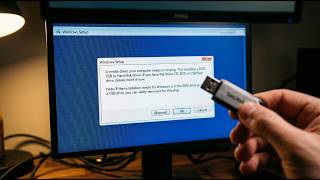
How to fix: A media driver your computer needs is missing on Windows 10/11
2.1K views