
EUKI D200 DASH CAM (SMALL 2.5K RESOLUTION!!)
🛍️ Products Mentioned (9)

EUKI Dash Cam Front, 2.5K WiFi Car Camera Dash Cam Mini Dash Camera for Cars, Car Dash Cam with Parking Monitor, Super Night Vision, 170° Wide Angle, App Control, G-Sensor EUKI D200 DASH CAM: UK: https://amzn.to/3JwOMk4 USA: https://tinyurl.com/mtt4khz4 Sd Card Reader: UK: Ebay- https://ebay.us/ZDZltb UK: Amazon: https://amzn.to/3dLxmlH USA: https://tinyurl.com/3uu6bst2 Micro SD Card (32GB Class 10) UK: Ebay: https://ebay.us/LE5CM3 UK: Amazon: https://amzn.to/3wqGZNp USA: https://tinyurl.com/4ja8m7ap support: support@euki.cn -------------------------------------------------- To All Newcomers welcome! and make Yourselves at Home, I would much appreciate your support in Subscribing to my YouTube Channel!!! it really would mean a lot and I'm very grateful for every single one of you. thank you in advance. Support my YouTube Channel for Creating More Content to Help Others at the link Shown below 👇🏼 https://www.buymeacoffee.com/P.WINKLE Thank You. Business email address: thephonedoctorinfo@gmail.com ------------------------------------------------ About this item 【FHD 2.5K Resolution】EUKI 2.5K dash cam, equipped with 1600P ultra-high-definition lens, 170° wide-angle, using a high-performance sensor, a big F2.0 aperture 6-glass lens observing road front, can clearly capture road signs or license plates around the car during the day and night. Powerful car or truck onboard cameras provide sufficient evidence for rear-end collisions. 【Voice Broadcast】This dash board camera provides a variety of voice broadcasts and helps you to know the current status of the dashcam. If the collision reaches the set G-sensor level, this smart dash cam will lock it and save it in the emergency lock folder. 【Built-in WiFi & APP Control】Use the dedicated App-JarvisCam (on App Store or Google Play) to view the 2.5k dash camera recordings and manage its settings on Android/IOS devices via built-in WiFi. You can download videos recorded in 1600P quality directly to your smartphone and then easily share these on social media with friends and family. 【Emergency Recording】In the event of a collision, the variable sensitivity G-sensor of the WiFi dash camera recorder auto detects sudden shake/collision and locks the footage in the event folder separately. This feature prevents the emergency video from being overwritten with normal loop recording. These emergency videos can be important for police reports, accident reports, and compensation claims. 【Easy Installation】Easily mount the WiFi dashcam to your car windshield with the included 3M adhesive tape and electrostatic film without damaging your car, safe and secure. Insert the Micro SD card (32-128GB) into the card slot and connect the car camera to the car charger cable. When you start the engine, this car camera will automatically turn on and record. (Note: Micro SD card is not included in the package.) Warm Tips: 1. Please use the original accessories provided in the dash cam package to prevent compatibility issues. 2. After setting up the dash cam on the app, you need to turn it off by the power button on the dash cam to save the settings. 3. When using the APP (JarvisCam) to connect to the WiFi of the dash cam please turn off the VPN and Bluetooth. 4. Please format the Micro SD card (not included) on the dash cam App-JarvisCam APP before first use (please keep the dash cam in the open state and connect the dash cam WiFi). 5. please format the Micro SD card regularly to prevent the locked video from taking up too much capacity and affecting the normal use of the car camera. 6. Due to the recorded 2.5K video data rate, a reputable Class 10 or higher speed 32-128GB Micro SD card must be used. ( Micro SD card is not included in the package ) 7. 24-hour parking monitoring and time-lapse recording function require an additional hardwire kit (not included), if you need it we can provide it. Reach us more easily: 1. Official Contact information is printed at the bottom of each page of the manual. 2. The last page of the User Manual has the WhatsApp and Official code, scan it! 3. We uploaded User Manual (PDF) on the dash cam detail page.
About This Video
Frequently Asked Questions
🎬 More from Pwinkle
Annke Crater Reno Camera (4K)
472 views
MIOFIVE S1 DASH CAM (4K Camera)
12.6K views
EXTEND YOUR WIFI - EASY!! (TP Link AX1800 Dual Band Wi Fi 6 Range Extender)
44.5K views
iegeek 2k PTZ battery camera (wire-free) INFO & SETUP
50.6K views
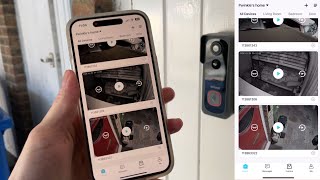
iegeek Doorbell App Setup
1.6K views
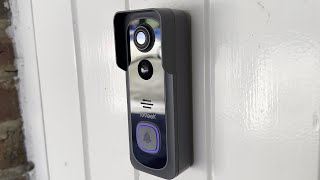
iegeek Wire-Free Smart Video Doorbell (Setup & Info)
30.1K views