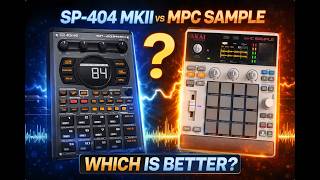
How to record melodies on the MPC Sample
🛍️ Products Mentioned (23)
Purchase the gear I use here
Take a listen to my music here
Download my free 808 Kit
Presets and loops
Open Product
Yamaha MODX6+
Yamaha Montage M6 Keyboard Synthesizer 61
Roland Juno-X
Warm Audio WA-800
Warm Audio WA-87 R2 Large-Diaphragm
Roland Integra-7 Supernatural Sound Module
Roland JD-08
Studio One 7
Akai MPC Key 61 Music Production Keyboard
Akai MPC Live II
Akai MPC One+ Standalone Music Production System
Moog Subsequent 37
Moog Subsequent 25
ASM Ashun Sound Machines Hydra Synth Explorer Synthesizer, 37-Key
Korg MicroKorg 2 Synthesizer Keyboard with Vocoder
Korg Minilogue Analog Polyphonic Synthesizer, 37 Key
Boss VE-22 Vocal Performer Pedal
Arturia V Collection
Visit my website!: www.dilliot2k.com Purchase the gear I use here: https://www.zzounds.com/a--3981974 Take a listen to my music here: https://dilliomusic.bandcamp.com/music Download my free 808 Kit: https://dilliot2k.gumroad.com/l/rxueug Buy Presets and loops: http://dilliot2k.com/ Follow Me On Spotify: https://open.spotify.com/artist/4utekdPrVgO34qnV7qmYSB Email me at: dilliot2kfeedback@gmail.com Instagram: https://www.instagram.com/dilliot2k/ Music Gear That I use (Official List) Keyboards I use: Yamaha MODX6+ https://www.zzounds.com/a--3981974/item--YAMMODX6PLUS Yamaha Montage M6 Keyboard Synthesizer 61 https://www.zzounds.com/a--398197/item--YAMMONTAGEM6 Roland Juno-X https://www.zzounds.com/a--398197/item--ROLJUNOX The only mic I record with right now: Warm Audio WA-800 https://www.zzounds.com/a--398197/item--WAUWA8000 Warm Audio WA-87 R2 Large-Diaphragm https://www.zzounds.com/a--398197/item--WAUWA87R2 Sound Modules: Roland Integra-7 Supernatural Sound Module https://www.zzounds.com/a--3981974/item--ROLINTEGRA7 Roland JD-08 https://www.zzounds.com/a--3981974/item--ROLJD08 DAW of Choice: Studio One 7 https://www.zzounds.com/a--3981974/item--PRSS1PRO7 MPC's That I use: Akai MPC Key 61 Music Production Keyboard https://www.zzounds.com/a--3981974/item--AKAMPCKEY61 Akai MPC Live II https://www.zzounds.com/a--3981974/item--AKAMPCLIVE2 Akai MPC One+ Standalone Music Production System https://www.zzounds.com/a--3981974/item--AKAMPCONEPLUS Synths That I use: Moog Subsequent 37 https://www.zzounds.com/a--3981974/item--MOOSUBSEQUNT37 Moog Subsequent 25 https://www.zzounds.com/a--3981974/item--MOOSUBSEQUNT25 ASM Ashun Sound Machines Hydra Synth Explorer Synthesizer, 37-Key https://www.zzounds.com/a--3981974/item--ASOHYDRASYNTHEX Korg MicroKorg 2 Synthesizer Keyboard with Vocoder https://www.zzounds.com/a--3981974/item--KORMICROKORG Korg Microkorg 1 Analog-Modeling Synth/Vocoder https://www.zzounds.com/a--3981974/item--KORMICROKORG Korg Minilogue Analog Polyphonic Synthesizer, 37 Key https://www.zzounds.com/a--3981974/item--KORMINILOGUE Vocal Processing: Boss VE-22 Vocal Performer Pedal https://www.zzounds.com/a--3981974/item--BOSVE22 Software Plugins I use: Arturia V Collection https://www.zzounds.com/a--398197/item--ARAVCOLLECTIONX #musicproduction #flstudio #mpcbeats #pluginreview #sounddesign #vstplugins #beatmaking #musicproducer #looppacks #dilliot2k