
Beginner's Thoughts on Cinematic Color Grading with Dehancer Pro | Osmo Pocket 3, ZV-E10 II, A6700
🛍️ Products Mentioned (8)
Dehancer Pro Official Website
Editing D-Log-M LUT (DaVinci Resolve 18)
LUTS I Use
Everything I Use In My setup
Social Media
FiFine
Gear I use
Tips/Donate here
Join this channel to get access to perks: https://www.youtube.com/channel/UCsKwwQDMxBapqI5QedwNdGw/join Tips/Donate here: https://bitl.to/3tub LIVE STREAMS: kick.com/squidheadjoe In this video, I’m sharing my thoughts & impressions on cinematic color grading with Dehancer Pro. I’ll discuss how it works with footage from the DJI Osmo Pocket 3, Sony ZV-E10 II, and Sony A6700, and whether it’s worth using for a true film-like look. This isn’t a tutorial—just my experience and honest take on the plugin! 🔗 Dehancer Pro Official Website: https://www.dehancer.com/ 💰 Use promo code 'SQUID' for 10% off! (Not an affiliate link.) Editing D-Log-M LUT (DaVinci Resolve 18) - https://ytubl.ink/3ExO LUTS I Use: https://www.leeminglutpro.com/ 🔥 Let me know in the comments—have you tried Dehancer Pro? What are your thoughts? 📢 Review Disclaimer: This product was provided to me for free, but I maintain full creative control. The company does not get early access to this video, nor have they paid me for this review. All opinions are my own, honest, and unbiased. This is not a tutorial or an in-depth technical breakdown—it’s a user-focused review based on real-world usage. My goal is to share how this product impacts daily workflows, rather than just listing specs. Keep in mind that opinions vary! While I have years of experience as a creator, I’m not an industry expert. Your experience with this product may be better or worse than mine. No product is perfect, and neither am I! Want to share your thoughts or experiences? Drop a comment below! ⬇️ ▬▬▬▬▬▬▬▬▬▬▬▬▬▬▬▬▬▬▬▬▬▬▬▬▬▬▬▬ As an Amazon Associate I earn from qualifying purchases: Everything I Use In My setup - https://amz.run/9Nhf Social Media: https://linktr.ee/squidheadjoe For business inquiries, email: squidheadjoe@gmail.com Sponsored by(Affiliate links, I earn from qualifying purchases): FiFine: https://amz.run/783Y Gear I use: https://kit.co/squidheadjoe ▬▬▬▬▬▬▬▬▬▬▬▬▬▬▬▬▬▬▬▬▬▬▬▬▬▬▬▬
About This Video
Frequently Asked Questions
🎬 More from Squid Head Joe

My Videos Are For The 80 - 90% But That Last 10%....
43 views
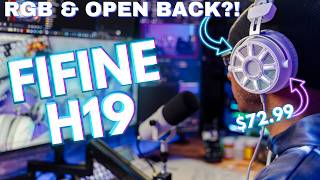
Fifine Open-Back Gaming Headset?! This Changes Everything… (FIFINE H19WP)
66 views
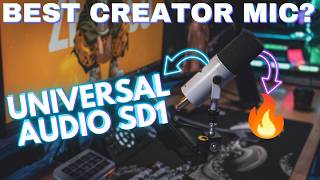
This Mic Beats the SM7B for Most Streamers & Creators? | VS Shure MV7X FIFINE TANK 1 & 6 & AM8 Pro
63 views

Content Creators & Gear VS Social Norms | A discussion Video
32 views

The BEST Budget Amazon Gaming EarBuds? | STEELSERIES GAMEBUDS USER REVIEW
98 views
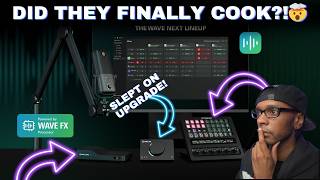
Elgato New Wave Lineup Is Actually Impressive… | My Thoughts
165 views