
How to Use Google Forms for Tasks & Notes (Easy Tutorial)
🛍️ Products Mentioned (3)
Want to simplify your system? I can help
1⃣ 2-DO LIST METHOD - Learn 3 easy steps for planning a highly productive task list with this FREE guide
2⃣ STREAMLINE ACADEMY - Simplify your software and optimize your workday with exclusive training, courses, and live events
Looking for a distraction-free way to capture tasks and ideas? This tutorial will show you how to transform Google Forms into your own personal task manager and note-taking tool. With just a few simple steps, you can create a form that quickly collects your tasks and ideas without tempting distractions from other to-dos. Scott Friesen will guide you through setting up task-specific fields like priority, estimated time, and due date, and will show you how to build a section for ideas with options to upload files or categorize them. Plus, we’ll link everything to Google Sheets for easy sorting and filtering, creating a streamlined system for managing tasks and brainstorming new ideas. 00:00 The distracted way of capturing tasks & ideas 01:12 Custom Google Form demo 05:01 Managing your tasks & ideas 06:36 Setting up your own custom form 11:25 Don't forget this step! Whenever you're ready, there are 2 ways Simpletivity can help you: 1️⃣ 2-DO LIST METHOD - Learn 3 easy steps for planning a highly productive task list with this FREE guide: https://www.simpletivity.com/free 2️⃣ STREAMLINE ACADEMY - Simplify your software and optimize your workday with exclusive training, courses, and live events: https://www.simpletivity.com/streamline CONNECT: 🌎 Website - https://www.simpletivity.com 🔗 LinkedIn: https://www.linkedin.com/company/simpletivity 🐦 Twitter: https://twitter.com/simpletivity 👨 Facebook: https://www.facebook.com/simpletivity 📷 Instagram: https://www.instagram.com/simpletivity ABOUT SCOTT: Scott has spent over a decade helping people to simplify their technology so they can be more productive and enjoy less stress. It’s his mission to help small business owners get the most out of their software and their workday. Simpletivity Training Inc. shares productivity tips, technology apps, time management ideas, and more to help you get more done and enjoy less stress at the same time. If you’re an entrepreneur, business owner, or professional who wants to get more out of your day, make sure to subscribe: http://www.youtube.com/channel/UCAp3b6zIvS8ct4yci-GwxIg?sub_confirmation=1 Icons made by Freepik from www.flaticon.com #simpletivity #googleforms #notes
🎬 More from Simpletivity
How to Write an SOP 10x Faster! (Standard Operating Procedure)
2.4K views
How to use Trello Automation - Board Workflow Tips
1.0K views
How to use Gemini Gems - Tutorial for Beginners
24.6K views
My Home Office Setup for Ultimate Productivity - Desk Tour
3.1K views
Stop Managing Email Like It's 2013!
1.7K views
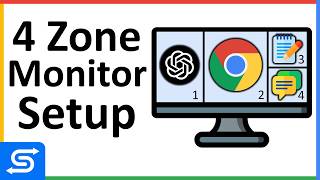
My Monitor Setup for Ultimate Productivity - Split Screen
9.6K views