
How to use Gemini Gems - Tutorial for Beginners
🛍️ Products Mentioned (5)

Google Gemini Gems help you turn repetitive tasks into an AI assistant so you can stop rewriting prompts. Gemini Gems save you time and improve your workflow. In this video, Scott Friesen shows you how to build and test your first Gemini Gem. SIMPLIFY YOUR TOOLS ✅ One Simple System (Free Guide) - https://simpletivity.com/guide 🌐 Simpletivity Website - https://simpletivity.com/ CONNECT WITH SCOTT 📧 Subscribe to the Simpletivity newsletter - https://simpletivity.com/newsletter ▶️ YouTube - https://youtube.com/@Simpletivity 🤝 LinkedIn - https://linkedin.com/in/scottdfriesen/ FAVORITE APPS 💻 Recommended Tools - https://simpletivity.com/tools 📝 Form Builder - https://link.jotform.com/scott-friesen-SAOe2pxvLy 0:00 How to Create a new Gem 2:31 Add Instructions to your Gem 4:29 Bonus Tip for Gem instructions 6:08 Defaults and Adding Files 7:29 How to use your Gemini Gem ABOUT SIMPLETIVITY Most business owners feel overwhelmed because they're using too many apps and their tools are all over the place. Scott Friesen helps them organize everything into one simple system, so they stop wasting time and take back control. #simpletivity #gemini #googlegemini
About This Video
Frequently Asked Questions
🎬 More from Simpletivity
How to Write an SOP 10x Faster! (Standard Operating Procedure)
2.4K views

How to use Trello Automation - Board Workflow Tips
1.0K views
My Home Office Setup for Ultimate Productivity - Desk Tour
3.1K views
Stop Managing Email Like It's 2013!
1.7K views
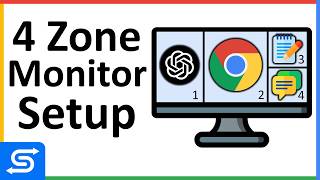
My Monitor Setup for Ultimate Productivity - Split Screen
9.6K views

How to Onboard Clients FAST with THIS Simple Tool!
1.6K views