
How to use Email Templates in Gmail (no more copy & paste!)
🛍️ Products Mentioned (4)
Try Pipedrive CRM FREE for 30 days
Want to simplify your system? I can help
1⃣ 2-DO LIST METHOD - Learn 3 easy steps for planning a highly productive task list with this FREE guide
2⃣ STREAMLINE ACADEMY - Simplify your software and optimize your workday with exclusive training, courses, and live events
✉️ Try Pipedrive CRM FREE for 30 days: https://aff.trypipedrive.com/fixr8q Tired of typing out the same emails repeatedly? In this video, Scott Friesen shows you how to save time using Gmail templates, allowing you to reply in seconds. First, go through how to enable templates in your Gmail settings. Once activated, he'll guide you through creating your own templates, step-by-step. Whether it's a follow-up email, a client introduction, or any repetitive message, you'll learn how to save drafts as Gmail templates and reuse them effortlessly. Plus, Scott will share a crucial tip on managing your email signature within templates, ensuring your messages stay professional and clutter-free. Whenever you're ready, there are 2 ways Simpletivity can help you: 1️⃣ 2-DO LIST METHOD - Learn 3 easy steps for planning a highly productive task list with this FREE guide: https://www.simpletivity.com/free 2️⃣ STREAMLINE ACADEMY - Simplify your software and optimize your workday with exclusive training, courses, and live events: https://www.simpletivity.com/streamline CONNECT: 🌎 Website - https://www.simpletivity.com 🔗 LinkedIn: https://www.linkedin.com/company/simpletivity 🐦 Twitter: https://twitter.com/simpletivity 👨 Facebook: https://www.facebook.com/simpletivity 📷 Instagram: https://www.instagram.com/simpletivity ABOUT SCOTT: Scott has spent over a decade helping people to simplify their technology so they can be more productive and enjoy less stress. It’s his mission to help small business owners get the most out of their software and their workday. Simpletivity Training Inc. shares productivity tips, technology apps, time management ideas, and more to help you get more done and enjoy less stress at the same time. If you’re an entrepreneur, business owner, or professional who wants to get more out of your day, make sure to subscribe: http://www.youtube.com/channel/UCAp3b6zIvS8ct4yci-GwxIg?sub_confirmation=1 Icons made by Freepik from www.flaticon.com #simpletivity #gmail #template
🎬 More from Simpletivity
How to Write an SOP 10x Faster! (Standard Operating Procedure)
2.4K views
How to use Trello Automation - Board Workflow Tips
1.0K views
How to use Gemini Gems - Tutorial for Beginners
24.6K views
My Home Office Setup for Ultimate Productivity - Desk Tour
3.1K views
Stop Managing Email Like It's 2013!
1.7K views
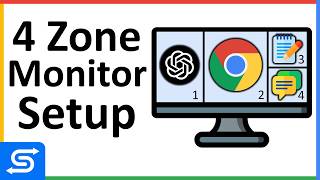
My Monitor Setup for Ultimate Productivity - Split Screen
9.6K views