
The Best Dual Monitor Arm Setup I've Ever Built - Suptek Monitor Mount Review!
🛍️ Products Mentioned (3)



If your desk always feels crowded, a dual monitor arm might be the perfect solution! This video shows how to create a clean desk setup by installing the Suptek dual monitor mount (MD8SP), which helps with cable management and provides an ergonomic setup. Say goodbye to clutter and hello to a more organized home office experience! Enjoy! 😀 Get It Here:🔽 🛒 Suptek Dual Monitor Mount (MD8SP)➡️https://www.amazon.com/dp/B08J3ZVDB8?ref=t_ac_spc_accepted_tile&linkCode=tr1&tag=sheltech222-20&linkId=B08J3ZVDB8_1771973080420 --------------------------------------------------------- Sheltech Approved Gear Stack:🔽 Amazon StoreFront - https://www.amazon.com/shop/sheltech/list/27F8WFDE9JH05?ref_=aipsflist 🔥 Next Videos to Watch 🔥 Battlefield 6 Looks Insane on this Monitor! ROG Strix XG27ACS Review! https://www.youtube.com/watch?v=2wtBp7kzn70 Thanks for Watching! --------------------------------------------------------- ⏱️TIMESTAMPS⏱️ 0:00 – Desk Setup Problem (Before the Upgrade) 0:50 – Suptek MD8SP Unboxing 1:15 – Desk Prep & Clamp Installation 1:50 – Installing the Monitor Arms 2:14 – VESA Plate Installation (Important Tip) 2:40 – Mounting the Monitors (32” + 19”) 3:04 – Adjustment & Full Motion Explained 3:34 – Monitor Layout Options 3:47 – Cable Management Tips 4:04 – Build Quality & Stability (Real Talk) 4:31 – Final Desk Setup & Thoughts 🎥 🎞 // P L A Y L I S T S Y O U ' L L L O V E : • Start Here: SHELTECH'S Best Videos https://www.youtube.com/playlist?list=PLKd-a7EMj8XG-u-k63fd3eAivAmGNkyrw 😀 Connect with me: 📷Instagram - https://www.instagram.com/shel.tech/ ---------------------------------------------------------- For business inquires or sponsorship please email us at:📬 sheltech22@gmail.com I would love to review or feature your product in one of our up-coming videos! Disclaimers: All my opinions are my own, sponsors are acknowledged. Links in description are generally affiliate links and help support this channel at no cost to you. ************************************************************* 🔊Music Credits: Like the music and want to use it? Sign up to Epidemic Sound free for 30 days: ▶️Epidemic Sound: https://www.epidemicsound.com/referral/uoc869/ #DualMonitorArm #DeskSetup #MonitorArm #CleanDeskSetup #SuptekMD8SP
About This Video
Frequently Asked Questions
🎬 More from SHELTECH

The Philips Hue Setup That Actually Looks Cinematic!
620 views
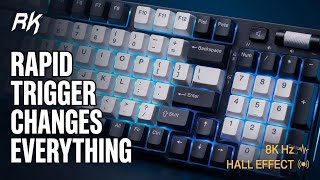
The Royal Kludge C96 Rapid Trigger Feature is a Game Changer – Here's Why!
669 views

This Desktop Charger Changes Everything About My Desk
853 views

Can This Portable 4K Monitor Replace Your Gaming Setup? The UPERFECT UColor 19 Apex!
3.7K views

I Was Shocked by the MechLands Vibe75 Build Quality & Sound
534 views

I Tested the ASUS ROG Aura Light Bar So You Don't Have To
3.2K views