
Get the BEST BUDGET Standing Desk Without Breaking the Bank!
🛍️ Products Mentioned (21)

ErGear Standing Desk
Website

Epidemic Sound

Amazon StoreFront
BenQ ScreenBar Halo
Power Strip Surge Protector 10 ft Cord
VIVO Clamp-On Vertebrae Cable Management Kit
Mocalido Candle Warmer Lamp
ikago Smart Temp Control Coffee Mug
Autonomous Premium Ergonomic Office Chair
Onten 10Gnps Hub
Elgato Wave Microphone Arm
RODE PodMic USB
Moukey Shock Mount
ErGear Standing Desk
Huanuo Dual Monitor Stand
Pixio PXC277A Monitor
ASUS VG278QR
RK96(Black)
Pwnage Precision Gaming Mouse Pad
Divoom Ditoo Retro Pixel Art
Get It Here:⬇️ 🛒ErGear Standing Desk: https://www.amazon.com/dp/B0B41Z34M7?ref=t_ac_view_request_product_image&campaignId=amzn1.campaign.3U1WUMFJJTPKF&linkCode=tr1&tag=sheltech222-20&linkId=amzn1.campaign.3U1WUMFJJTPKF_1770389051653 🛒Amazon StoreFront - https://www.amazon.com/shop/sheltech?... Check out the all New ErGear Sanding desk. It come in 3 sizes and 3 different finishes all at a budget price. Watch as I unbox, setup , go through the features and show it off in my new home office. ▬ ❤ Favorite items on my desk ▬▬▬▬▬▬▬▬▬ 🛒BenQ ScreenBar Halo - https://geni.us/BHalo 🛒ErGear Standing Desk - https://geni.us/ergearblack 🛒 Power Strip Surge Protector 10 ft Cord ➡ https://geni.us/PStrip 🛒 VIVO Clamp-On Vertebrae Cable Management Kit ➡ https://geni.us/vivocable 🛒 Huanuo Dual Monitor Stand ➡ https://geni.us/Huan2 🛒Pixio PXC277A Monitor ➡ https://geni.us/PXC277Advan 🛒ASUS VG278QR ➡ https://geni.us/AsusVG278QRmonitor 🛒RK96(Black) ➡ https://geni.us/RK96BL 🛒Mocalido Candle Warmer Lamp - https://geni.us/CandleWarmer 🛒Pwnage Precision Gaming Mouse Pad - https://geni.us/PPAD 🛒Divoom Ditoo Retro Pixel Art - https://geni.us/ditoo 🛒ikago Smart Temp Control Coffee Mug - https://geni.us/iwarmer 🛒Autonomous Premium Ergonomic Office Chair - https://geni.us/Ergochairpro 🛒Onten 10Gnps Hub ➡ https://geni.us/ONTEN ▬ ❤What I Create With ▬▬▬▬▬▬▬▬▬ 🛒Elgato Wave Microphone Arm ➡ https://geni.us/elgatowavearm 🛒Moukey Shock Mount ➡ https://geni.us/moukey 🛒RODE PodMic USB ➡ https://geni.us/RodePodMicro --------------------------------------------------------- ⏱️TIMESTAMPS⏱️ 0:00 - Intro to Ergear Desk 1:08 - Unboxing 2:26 - Building the Ergear Standing Desk 4:34 - Controller 5:40 - Using the Desk, Features and Specs 7:41 - Should you buy? Thanks for watching! 😀 Connect with me: 📷Instagram - https://www.instagram.com/shel.tech/ 💻Website - https://sheltech.org/ LIKE👍SUBSCRIBE🔔SHARE❗ 🙏 https://youtube.com/c/sheltech4?sub_confirmation=1 ---------------------------------------------------------- Disclaimers: All my opinions are my own, sponsors are acknowledged. Links in description are generally affiliate links and help support this channel at no cost to you. ************************************************************* 🔊Music Credits: Like the music and want to use it? Sign up to Epidemic Sound free for 30 days: ▶️Epidemic Sound: https://www.epidemicsound.com/referral/uoc869/ #ErGear #standingdesk #sitstanddesk
About This Video
Frequently Asked Questions
🎬 More from SHELTECH

The Philips Hue Setup That Actually Looks Cinematic!
620 views

The Royal Kludge C96 Rapid Trigger Feature is a Game Changer – Here's Why!
669 views
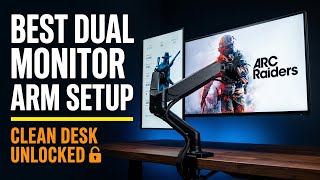
The Best Dual Monitor Arm Setup I've Ever Built - Suptek Monitor Mount Review!
8.1K views

This Desktop Charger Changes Everything About My Desk
853 views

Can This Portable 4K Monitor Replace Your Gaming Setup? The UPERFECT UColor 19 Apex!
3.7K views

I Was Shocked by the MechLands Vibe75 Build Quality & Sound
534 views