
Complete NAS Setup Guide For Beginners!
🛍️ Products Mentioned (6)

In this video, I walk you step-by-step through the full initial setup of the Synology DS1525+ — from installing your hard drives, to configuring DSM, creating your storage pool, and securing your NAS with the most important settings. Whether you're using your DS1525+ for backups, Plex, home lab projects, or general storage, this guide will give you a fully optimized and secure starting point. In this tutorial, you’ll learn: ✔ How to properly install 3.5" and 2.5" drives ✔ How to boot your NAS and install DSM 7.3 using find.synology.com ✔ How to configure DSM, updates, and admin settings ✔ How to create your storage pool & volume ✔ Why SHR is the best RAID for 4 drives ✔ Why Synology recommends BTRFS ✔ How to disable the Admin and Guest accounts ✔ How to set an auto-logout timer ✔ Why you should disable SSH ✔ How to change DSM default ports (5000 & 5001) ✔ How to force HTTPS redirect ✔ How to tighten password rules & enable home folders ✔ How to enable 2-Factor Authentication ✔ Bonus: How to enable Account Protection 00:00 – Why You MUST Watch Before Setting Up 00:34 – Installing Hard Drives 01:18 – First Boot & DSM Install 02:52 – DSM Setup 04:57 – Storage Pool & RAID Setup 07:38 – Security Hardening 09:16 – Bonus Tip 09:47 – Final Thoughts #Synology #DS1525Plus #SynologyNAS #DSM7.3 #HomeLab #PlexServer #NASSetup #TechTutorial #DataSecurity Share this video - https://youtu.be/B3aH7IDgSOE Subscribe to this channel - https://goo.gl/dRbTqD Channel Support: Buy Tony A Coffee - https://www.buymeacoffee.com/quiktech PayPal - http://paypal.me/quiktechsolutionsllc Earn $100 Cloud Credits from Digital Ocean by signing up at: https://m.do.co/c/41d68f5e11bd DS1525+ Diskless Purchase Link - https://amzn.to/442kcIC Amazon Affiliate Storefront: https://www.amazon.com/shop/quiktechsolutionsl.l.c Disclaimers: This video is not made for or intended for kids. I participate in the Amazon Affiliate/Influencer Program. When purchasing using my Amazon Affiliate links, your price doesn't change. You pay the same, but I do get a small percentage of the sale in commission. This helps the channel to continue creating content you enjoy viewing. All images used in this video are my own or taken from pixabay.com. About Tony: I am a retired educator of 32 years. I started out as an instrumental music teacher and evolved into technology support. After many years of providing technology support to teachers and students, the last ten years of my career, I was in a leadership position of Technology Coordinator and also Supervisor of Technology. My passion has always been helping people. I hope to continue helping people through my YouTube channel. Contact Tony at: quiktechreview@gmail.com Follow me on: Twitter @quiktechreview Facebook @quiktechsolutionsllc Instagram @quiktechsolutionsllc Hope you enjoyed this video. Please subscribe, like, & share.
About This Video
Frequently Asked Questions
🎬 More from Quik Tech Solutions L.L.C
Saturday Afternoon LIVE
160 views
Grandstream GDMS Setup from Scratch (Full Walkthrough) | Part 1
286 views
Real Outdoor Test: Does the GWN7302 Wireless Bridge Deliver?
241 views
Saturday Afternoon LIVE | 1 Hour Earlier
263 views
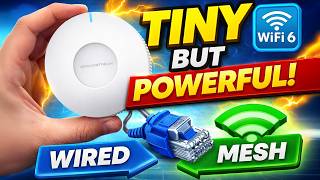
Tiny But Powerful: Grandstream GWN7660EM Setup (Wired + Mesh)
457 views
Saturday Afternoon LIVE
254 views