
How to FIX Vegas Pro Laggy/Choppy/Stuttery Playback! - Tutorial
🛍️ Products Mentioned (1)
Hello everyone! In this video, I run through a few methods on how to solve a laggy preview with Vegas. In this case, I was having issues with videos imported from my phone into Vegas Pro 17 on my PC. Here's how you can resolve that. If this video was useful to you, please feel free to leave a like and perhaps subscribe! Any questions? Don't hesitate to let me know in the comments. Avidemux - https://avidemux.sourceforge.net/download.html Thanks and take care! My Social Media Discord: oliverstech Reddit: u/imrolii
About This Video
Frequently Asked Questions
🎬 More from Oliver's Tech

We Found My Grandad’s Old PC in the Attic - What’s Still on It?
94 views
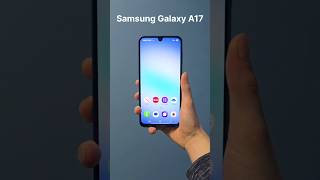
The Samsung Galaxy A17 5G! Is it actually any good? #samsunggalaxy #samsung #phone #tech
138 views

Is THIS the Ultimate Value GPU? - AMD RX 9070 XT (Unboxing & Benchmarks)
505 views

I bought an M1 MacBook in 2025! Should you too? (1 Month Review)
18.9K views

Xiaomi 15 Unboxing and Initial Impressions - Goodbye Samsung!
8.3K views

Installing Windows 11 on a Samsung Phone... (yes, it's possible!)
793.4K views