
How To Set Up Your First CRM In 10 Minutes! (Folk CRM Tutorial)
🛍️ Products Mentioned (4)
Featured Tech
Recommended Outbound Sales Software & Tools
Comprehensive collection of guides, templates, and resources to help you build a successful outbound sales strategy
5 lessons on finding, winning and keeping clients. Plus templates, playbooks, and frameworks you can use straight away.
🎯 FREE CLIENT PIPELINE TRAINING: 5 lessons on finding, winning and keeping clients. Plus templates, playbooks, and frameworks you can use straight away. 👉 https://go.generatingpipeline.com/free-training 🧰 Featured Tech: https://go.generatingpipeline.com/Folk In this video, I walk you through setting up a simple, user-friendly CRM using Folk, perfect for Fractional Executives and Consultants who want to stay on top of their pipeline without the bloat of more complex tools. I cover each step of the process, from pre-CRM planning all the way to automating emails. By the end, you’ll know how to organise your deals, track potential clients, and avoid letting great opportunities slip through the cracks. Intro I start by explaining why having a CRM matters - even if you’re currently using a spreadsheet. The goal is simple: ensure you have a reliable home for leads and deals, so you never lose track of potential clients or forget to follow up. Planning Before diving into any CRM, it’s crucial to decide on your pipeline stages and custom fields. I share how I plan out basic deal stages (e.g., Lead, Call Booked, Proposal Sent, Working to Close, Closed-Won/Lost) and the key data points (custom fields) you’ll want to capture, such as the decision-maker flag, company type, or any other detail that’s important to your consulting workflow. Building a Pipeline Next, I hop into Folk and demonstrate how to set up a pipeline that mirrors the stages we planned. I rename Folk’s default columns to match typical consulting stages and remove any extras. This transforms Folk into a clear, visual Kanban board where you can drag and drop leads from one stage to the next. Adding Custom Fields Once the pipeline is set, I create custom fields for both contacts (e.g., Decision Maker, Company Type) and deals (e.g., Engagement Type, Service, Deal Value, Close Date). This ensures your CRM captures the specific information you care about, rather than generic or irrelevant data. Creating a Deal With a pipeline and custom fields ready, I add a test deal to show exactly how you can record everything you need (deal value, potential close date, etc.) under one clear entry. This is where you start turning loose conversations into structured opportunities. Using the LinkedIn Chrome Extension One of Folk’s standout features is its LinkedIn integration. I demonstrate how to add someone straight from LinkedIn into your CRM, label them (e.g., “Prospect” or “Decision Maker”), and immediately create a deal if needed. It saves loads of time and keeps your outreach consistent. Setting Reminders Staying consistent with follow-ups is key to closing deals. I show how to set reminders for next steps, like sending testimonials or scheduling a second call, so you never forget to follow up at the right time. This is vital for maintaining momentum in your pipeline. Using Email Templates Finally, I explain how to create and store email templates in Folk. Whether it’s a follow-up for someone who’s gone quiet or a post-call recap, you can automate the boilerplate and personalise the rest, striking the perfect balance between efficiency and authenticity. By the end, you’ll have a CRM designed for your consulting business, lightweight, easy to maintain, and powerful enough to keep your deals organised so you can spend more time serving clients (and landing new ones) instead of juggling spreadsheets. Timestamps: 00:00 – Introduction 01:20 – Spreadsheet CRM example 02:12 – Intro to Folk 03:32 – Planning your CRM 06:25 – Getting started with Folk 07:20 – Adding leads 08:20 – Building a Pipeline in Folk 10:30 – Creating a Deal 11:13 – Adding Custom Fields 14:35 – Using the LinkedIn Chrome Extension 15:49 – Creating a new view 16:31 – Filling in Custom Fields 17:26 – Setting Reminders 18:57 – Using Email Templates 21:00 – Wrap-Up & Next Steps Don't forget to subscribe for more tactics and tips on generating more B2B Sales. Hit the like button if you find this video helpful! -- Sales Resources Comprehensive collection of guides, templates, and resources to help you build a successful outbound sales strategy: https://go.yellowo.co.uk/outbound-resources Recommended Prospecting Software & Tools Explore the tools I recommend for smarter, more efficient outbound: https://go.yellowo.co.uk/outbound-sales-tools Connect on LinkedIn Follow me for practical sales insights and outbound strategies: https://www.linkedin.com/in/outboundsalestech/ #GeneratingPipeline #LeadGeneration #SalesStrategy #BusinessDevelopment
🎬 More from Mark Colgan | Outbound Prospecting & Pipeline
I Turned My Sales Calls Into a Content Engine With Granola
54 views

Pick Your Sales Stack: Founder Stage vs Enterprise
61 views
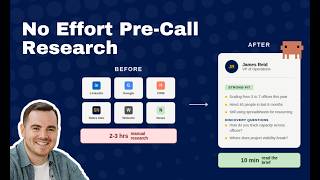
From 3 Hours to 0: Automating Pre-Call Research with AI (Claude Code)
114 views
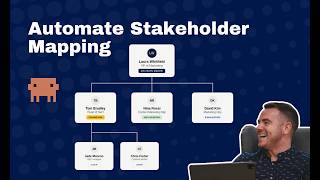
From 4 Hours to 4 Minutes: Automating Stakeholder Mapping with Claude Code
144 views
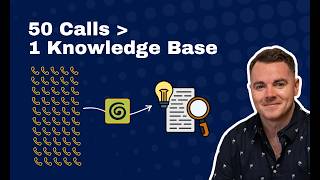
I Turned 50+ Mentoring Sessions Into a Searchable Knowledge Base (Using Granola + Claude)
71 views
How I Replaced Apollo, Clay, SmartLead, Trigify & HeyReach With One Platform
334 views