
STOP Paying for iCloud Storage - Do This Instead
🛍️ Products Mentioned (6)
1. Sandisk Extreme (Rugged)
2. Samsung T7
1. Sabrent Rocket Nano
2. OWC Envoy Pro FX

Support the journey & help fuel the next video

Amazon Storefront for more useful tech at affordable prices
Easy and Affordable DIY iCloud Setup... No, it's not a production NAS System, but something you can setup right now at home! It’s the perfect and flexible solution to privately save your iphone photos, videos, and files and save money at the same time. If you already own a Mac or PC and some form of external storage at home, this could be a completely FREE solution. 🎬 Support the journey & help fuel the next video → https://coff.ee/kamanibrown ✅ Recommended External Storage for this setup: 🧱General Purpose (Reliability & Affordability): 1. Sandisk Extreme (Rugged): https://geni.us/3WFSYwl 2. Samsung T7: https://geni.us/s7OI ⚡️For Max Speed (Thunderbolt Drives): 1. Sabrent Rocket Nano: https://geni.us/U7RwpUc 2. OWC Envoy Pro FX: https://geni.us/P0mi ____________________________________________________ 🛒 Checkout my Amazon Storefront for more useful tech at affordable prices: https://www.amazon.com/shop/kamanibrown ____________________________________________________ Social Media - Instagram: kamanibrown_ Facebook: Kamani Brown Email: katanagraphicsja@gmail.com ____________________________________________________ 🎥 Timestamps: 0:00 - Intro 0:47 - PC Server Setup 05:28 - Mac Server Setup 08:13 - Connect iPhone to Server 09:33 - How to Copy iPhone files to Server 12:22 - Limitation 1 & Solution 12:44 - Automate via Shortcuts app 14:26 - Limitation 2 & Solution 15:15 - Automate via Photosync app 16:39 - Real Life view of files 17:40 - Limitation 3 & Solution ____________________________________________________ DISCLAIMER: I am a participant in the Amazon Services LLC Associates Program (and several others), an affiliate advertising program designed to provide a means for persons to earn commissions by promoting and linking to Amazon.com (or whichever other affiliated website/company). Therefore, some of my links are affiliated which mean I receive a small commission if you make a purchase using those links at no extra cost or risk to you. By using these links, you help to make it possible for me to continue making content for your entertainment and knowledge. ⭐️ PLEASE NOTE that I DO NOT, WILL NOT, AND ABSOLUTELY CANNOT collect, store, use, or share any of your personal data. ⭐️ These products were purchased by myself and were not given to review. These are my unbiased opinions and were not incentivised or motivated by any form of compensation. The companies/manufacturers for these products can only see this video the moment it goes live, just like you do. ____________________________________________________ #iCloud #iphonestorage #kamanibrown #apple #iphone #technology
About This Video
Frequently Asked Questions
🎬 More from Kamani Brown
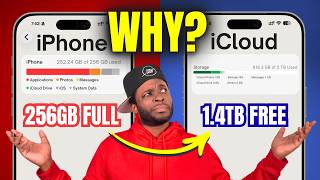
Here's Why Your iPhone Storage is Full (Even With iCloud)
860 views

This $400 Bike Lets You Stream Anything (No Subscription) - Yesoul GM1 Spin Bike Review
44 views

DO NOT BUY The Pulse Elite! GET THIS Instead - Is This The Best PS5 Headset Under $200?
260 views

This Desk Lamp Does Way More Than It Should (LiteOnes H01 Review)
82 views

Is This The Best Podcast Mic for EVERYONE? (Maono PD200W Review)
42 views

This Tiny DAC Delivers INSANE Sound on Almost Any Device (Kiwi Ears Allegro Pro Review)
498 views