
Massive 720TB JBOD Disk Array, 4U Supermicro CSE846 Server Chassis Build
🛍️ Products Mentioned (11)
Supermicro CSE-846 Chassis...
More Drives...!
Supermicro SAS Backplane...
Lenovo SAS Expander...
SFF8087 Breakout Cables...
SFF8088 Case Bracket...
PCIe Power Board...
Fan PWM Controller...
PSU 24 Pin Extension...
PSU 8 Pin Extension...
HGST Drives...
Featured Products: (affiliate links) Supermicro CSE-846 Chassis... https://ebay.us/WQACmF HGST Drives... https://amzn.to/4eWfoYI More Drives...! https://amzn.to/3Yffgfz Supermicro SAS Backplane... https://ebay.us/Eiiq5B Lenovo SAS Expander... https://ebay.us/i93erx SFF8087 Breakout Cables... https://amzn.to/3jTBKCu SFF8088 Case Bracket... https://ebay.us/yYeONR PCIe Power Board... https://amzn.to/3CnfJST Fan PWM Controller... https://amzn.to/3GIOEMi PSU 24 Pin Extension... https://amzn.to/3WPmSDH PSU 8 Pin Extension... https://amzn.to/3XdMNVr I've taken a Supermicro CSE-846 4U server case and packed 720TB of storage inside. In addition to the 24 front-facing bays it came with, I built out an additional 16 drives inside the case. The entire setup cost less than $11/TB and only consumes ~320W at the wall. Great deal and very efficient! Chapters: 00:00 Introduction 00:23 Supermicro Chassis 01:26 18TB Hard Drives 02:16 The Build Plan 02:59 SAS Backplanes 04:14 Hard Drive Mounting 06:14 Drive Layout & Cooling 07:14 SFF8088 Input Bracket 08:05 Lenovo SAS Expander 09:26 Powering the Drives 11:44 Custom Power Cabling 14:16 SAS Connections 15:04 Fan Cooling 16:15 Initial Power-On 17:10 Fan Power & Control 17:35 Rack Installation 18:11 Full Startup Test 18:38 Mounting the Drives 20:03 Cooling Check/Changes 21:33 Power Consumption 22:08 Cost/Parts Breakdown 26:41 Conclusions Contact Info: Business email is lithiumsolardiy@gmail.com. I am not available for personal project questions or consultation. Disclaimers and Statements: ► I receive a small commission on purchases made using my affiliated links shared the video description and comments section. The views and opinions expressed here are my own, unbiased, and not influenced by this commission in any way.
About This Video
Frequently Asked Questions
🎬 More from Home SysAdmin
Supermicro 45-Bay JBOD Disk Shelf Upgrade, Running 105 Hard Drives
11.3K views
Self-Hosted VPN Made Easy! OpenVPN Setup Guide for PFSense
14.2K views
Cheap 10Gig Fiber with Mikrotik CRS309-1G-8S+IN Network Switch, Setup Guide
36.3K views
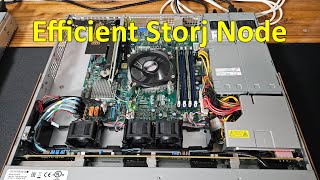
Building a Storj Node and Migrating Existing Contents, FUN HomeLab Project
6.8K views
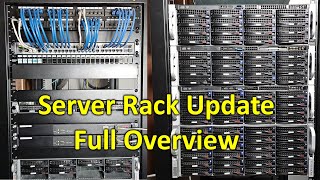
HomeLab Update: Full Rack, Proxmox, New PFSense, Chia Farm, and FAST Internet
14.8K views
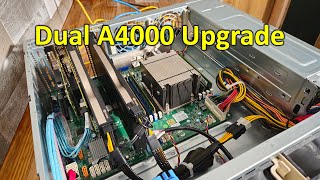
Rebuilding the Chia Farming Server with Dual RTX A4000 GPUs
7.7K views