
Yamaha DGX Series(650) Basic Setup Tutorial — Voices, Styles, Recording & Transpose Explained
In this video Tutorial with yamaha dgx 650, you would learn the basic set up of yamaha Dgx series and how to start playing with the voices, using transpose, split, dual and many more important features. This beginner-friendly guide covers voices, volume & octave controls, split points, styles (accompaniment), song navigation, performance recording, and Transpose explained clearly for singers and song key changes. Whether for home practice, live playing, or recording your first performance, this video helps you layer voices, control styles, adjust tempo, loop song sections, and record like a pro. 🔥 What You’ll Learn ✅ Main, Dual & Split voices with octave & volume control ✅ Setting split points and adjusting keyboard zones ✅ Using Styles: Sync Start, Intro/Main/Outro, Accompaniment & Style Volume ✅ Song controls: Volume, Pause, Forward/Rewind, A/B Repeat Loop ✅ Recording performance solo and with Styles ✅ Using Transpose for song keys and vocals Watch yamaha dgx 650 full sound review here 👇 https://youtu.be/vQ98fJxSBLs?si=Xj5TQ2ns0j5hVQXw Learn how to play audio loops from USB FLASH https://youtu.be/NHDBOk7Jjwk?si=wQuY9jGjtFyhdKTg ⏱ Timestamps 00:00 – 00:41 – Introduction + Basic Setup (Sound Demo) 00:41 – 04:34 – Main Voice, Main Volume & Main Octave 04:34 – 07:35 – Dual Voice, Dual Volume & Dual Octave 07:35 – 11:00 – Split Voice, Split Volume, Split Octave & Split Point 11:00 – 12:18 – Transpose Explained 12:18 – 13:53 – Metronome, Tempo & Tap Tempo 13:53 – 20:33 – Styles, Sync Start, Intro/Main/Outro & Accompaniment Control + Style Volume 20:33 – 21:14 – Harmony Basics 21:14 – 24:27 – Song Section — Volume, Pause, Rewind/Forward & A/B Repeat Loop 24:27 – 27:55 – How to Record Your Performance (Solo & With Styles) 27:55 – 28:19 – Conclusion #YamahaDGX650 #DGXSeries #KeyboardSetup #TransposeTutorial #PianoVoices #StyleAccompaniment #RecordPerformance #BeginnerPianoGuide Yamaha DGX 650 tutorial, Yamaha DGX setup, DGX voices, DGX dual mode, DGX split mode, Yamaha styles accompaniment, keyboard transpose tutorial, Yamaha keyboard recording, song A/B repeat loop, metronome tempo control, beginner keyboard sound setup.
About This Video
Frequently Asked Questions
🎬 More from GMEEDIA_MUSIC
How to Make Afrobeats in 2026 | Full Beat Breakdown + Secret Sounds
45 views
Yamaha Motif In-Depth Tutorial | Voice Mode, Performance Mode, Arpeggio, Edit & MIDI (S90)
106 views
Yamaha S90 Workstation Complete Sound Demo | Does It Really Sound Better Than Montage 8?
629 views
SKY6604 Piano Setup Tutorial | How to Use Dual, Split,Transpose & Other Functions
55 views

Is the SKY6604 $329 Piano with Over 700 Voices Worth It? | Watch This Sound Demo Before You Buy
63 views
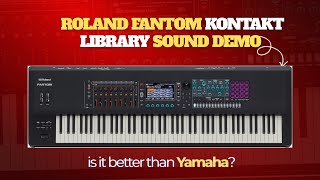
🎹 Roland Fantom Kontakt Library Sound Demo 🔥 Is This Better Than Yamaha?
537 views