NotebookLM Prompt Preview Gone?
🛍️ Products Mentioned (4)
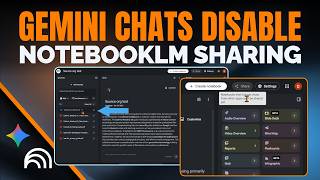
Did you notice that your favorite NotebookLM feature disappeared recently? If you tried to click the three dots on your artifacts and found that the prompt preview option is completely gone, it's not just you. When Google updates the UI without updating the documentation, it leaves a lot of users stranded. If you need to reuse an old prompt to build consistent assets but cannot access the original blueprint, this video covers the exact chat workaround you need to extract that data. The Artifact Prompt Recovery Blueprint: - Open the Target Artifact: Locate your generated artifact (like an infographic or slide deck) in the right-hand Studio panel and open it to review its contents. - Note the Visual Style: If you share identical titles across multiple assets, identify a unique visual anchor. - Collapse the Viewer: Close or slide the viewer over so you can access the main chat interface on the left. - Prompt for the Prompt: Do not just ask for the prompt broadly. Specify the identifier in the chat box by typing something like: "What prompt was used to create the glass-morphic style infographic?" - Extract and Re-use: Copy the generated system layout text out of the chat log to use in your next asset generation window. A few thoughts: - NotebookLM has a habit of changing features during background updates. - The traditional prompt preview under the "More" ellipses menu is non-functional. - If you rely entirely on the artifact's title to call it up in chat, the system will error out if you have duplicate file names in the same notebook. You must use a unique visual descriptor or an exact, distinct name to pull the data correctly. ✨ Join our next NotebookLM Cohort → https://maven.com/thoughts-brewing-llc/learn-notebooklm-in-a-weekend-2-cohort 🌟 Share your thoughts or request a video: https://thoughtsbrewing.com/en-us/youtube-video-request-page?utm_source=youtube #NotebookLM #PromptEngineering #GoogleAI #AIQuickTips #ThoughtsBrewing ➡️ Next-Level AI Workshop: https://thoughtsbrewing.com/en-us/next-level-ai-workshops?utm_source=youtube ➡️ SUBSCRIBE: https://www.youtube.com/@thoughtsbrewingllc ➡️ Get regular, straightforward workflow updates on our blog: https://thoughtsbrewing.com/en-us/blog-subscription?utm_source=youtube Timestamps 0:00 - Where did the prompt preview option go in NotebookLM? 2:20 - How can you use Chat to get the prompt for a NotebookLM artifact? 5:30 - Recap: How to find your prompt for your NotebookLM artifacts Keywords NotebookLM prompt preview gone, edit NotebookLM artifacts, view prompt NotebookLM, NotebookLM hidden features, Google NotebookLM tutorial, prompt extraction workaround, AI workflow troubleshooting, intermediate prompt tips, NotebookLM studio updates, software glitch fix, AI Quick Tips, Thoughts Brewing, Damien Griffin, NotebookLM, Google NotebookLM, Google AI, Google Labs, Prompt Preview missing from NotebookLM, Why can't I see Prompt Preview in NotebookLM