
this minimal setup turned my phone in a productivity powerhouse
🛍️ Products Mentioned (7)
Niagara Launcher

TickTick (habit tracker)
Google Keep & Notion (note-taking)
Notion Product
Moonreader (reading)
Pocket (save articles)
ORelax (meditation)
In this video, I’m diving into what’s in my phone and how I’ve turned it into a tool that works for me—not against me. If you’ve ever felt the pressure of being online 24/7, battled FOMO, or just wanted to live in the moment, you’ll love this minimalist setup. Here’s what you’ll see: ✅ My old-but-reliable OnePlus 8Pro and why I still use i ✅ The apps, widgets, and launcher (Niagara!) that keep me focused ✅ How I balance productivity, communication, and intentional phone use ✅ Why I don’t have social media on my home screen ✅ A peek at my favorite tools for work, learning, and self-care Enjoy 😄 Timestamps: 0:30 Intro: Why I set up my phone this way 0:42 My phone: OnePlus 8Pro overview 1:14 Why I prefer Android over iPhone 2:16 Launcher: Niagara and my minimalist UI 3:33 Most-used apps: Productivity, communication, and more 4:48 Why I avoid social media on my home screen 5:06 Speedrun through my most used apps 5:52 Outro: My thoughts on minimalist phone setups Tools & Apps Worth Mentioning: - Niagara Launcher - https://niagaralauncher.app/ - TickTick (habit tracker) - https://ticktick.com/ - Google Keep & Notion (note-taking): https://keep.google.com + https://www.notion.com/ - Moonreader (reading) - https://www.moondownload.com/ - Pocket (save articles) - https://getpocket.com/ - ORelax (meditation) - https://o-relax.en.uptodown.com/android Let’s Connect: 💬 What’s your phone setup like? Would you go minimalist? Drop your thoughts in the comments—I’d love to hear from you! 👍 If you enjoyed this video, give it a like and subscribe for more minimalist tips, productivity hacks, and personal growth ideas. #Minimalism #MinimalistPhoneSetup #DigitalDecluttering #AndroidSetup** #digitalminimalism #productivity #phonesetup #phoneorganization #digitalminimalist #phoneproductivity #howtobeproductive GET IN TOUCH: For inquiries or to chat, email me at hey.nikitsol@gmail.com I'll do my best to respond promptly, but please be patient if it takes longer.
About This Video
Frequently Asked Questions
🎬 More from Nik Sol
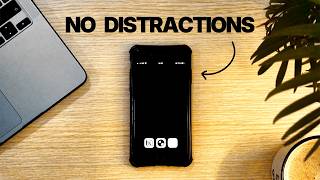
My Minimalist Phone Setup That Kills Distractions (Just Copy It)
3.8K views

My Night System That Fixed My Entire Day & Made Me More Productive
1.8K views
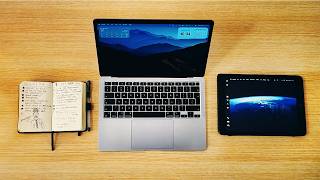
You Don’t Need a Fancy Desk Setup in 2026 (This Works Better)
34.0K views
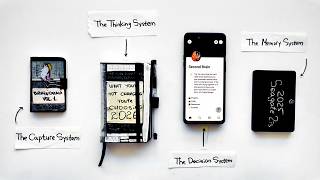
The Simple System That Runs My Entire Life
24.4K views
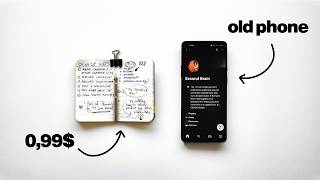
My Entire Productivity System Fits in My Pocket (Steal It)
38.8K views
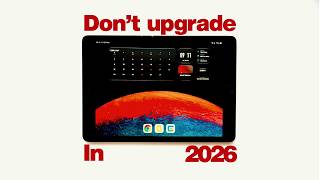
You don't have to overpay for an iPad in 2026. Here's why
2.1K views