
You Don’t Need a Fancy Desk Setup in 2026 (This Works Better)
This minimalist desk setup helps me stay productive in 2026 without expensive gear, multiple monitors, or complicated systems. In this video, I show you my simple, portable productivity setup — a minimalist desk built around a laptop, notebook, and a few essential tools that I actually use every day. No fancy aesthetics. No expensive upgrades. Just a real setup that works. I walk you through how I use my MacBook, iPad as a second monitor, notebook for ideas, and a simple storage system to create videos, stay organized, and get work done. This isn’t a typical desk setup tour. It’s about how to build a functional system using what you already have — without overcomplicating things. If you’ve ever wondered: – Do you really need a second monitor? – Can a minimal desk setup be productive? – How to build a simple productivity system? – What’s the best minimalist workspace setup? This video might help. My setup includes: – MacBook Air M1 for work and editing – iPad as a second screen – Notebook as a second brain – External hard drive for storage – Minimal accessories (no mouse, no clutter) The goal is simple: Use less. Do more. Stay focused. If you're trying to simplify your workspace and stop overthinking your setup — this one’s for you. 💬 Question: What would you upgrade or change in this setup to make it better? ⏱️ Video Chapters: 0:00 Intro 0:20 here's my setup 1:06 laptop 1:37 second screen 2:15 compromise 2:35 earbuds 2:51 storage 3:07 dongle 3:24 pocket notebook 3:43 best lifehack for your productivity 4:06 how I make the setup look more alive 4:18 the foundation of the setup 4:32 conclusions + outro Videos you might wanna watch next: My Entire Productivity System Fits in My Pocket (Steal It) - https://youtu.be/4lv_MjHCtGA I Built a Second Brain That Fits in My Pocket (and You Can Do It Too) - https://youtu.be/7iQMuCGLZX0 this simple phone setup saved me years of doomscrolling - https://youtu.be/66WsG0BE7Ps this tiny notebook is (slowly) replacing my phone - https://youtu.be/JJ_JpeCnNRA 📲 Follow my journey and get useful tips on self-improvement: Instagram – https://www.instagram.com/hey_nikitsol/ GET IN TOUCH: For inquiries or to chat, email me at hey.nikitsol@gmail.com. I'll do my best to respond promptly, but please be patient if it takes longer. Subscribers count: 5781
About This Video
Frequently Asked Questions
🎬 More from Nik Sol
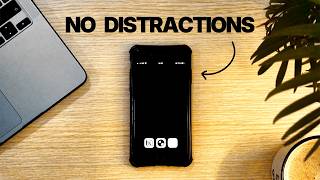
My Minimalist Phone Setup That Kills Distractions (Just Copy It)
3.8K views

My Night System That Fixed My Entire Day & Made Me More Productive
1.8K views
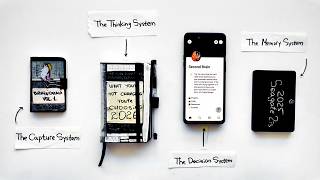
The Simple System That Runs My Entire Life
24.4K views
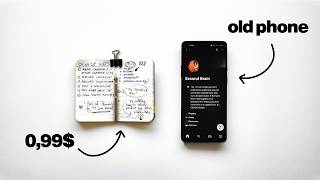
My Entire Productivity System Fits in My Pocket (Steal It)
38.8K views
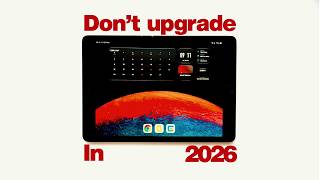
You don't have to overpay for an iPad in 2026. Here's why
2.1K views
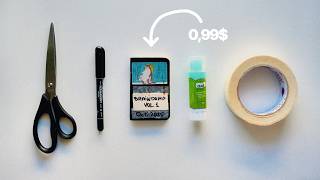
I Built a Second Brain That Fits in My Pocket (and You Can Do It Too)
133.3K views