
The 5-Minute Planning System That Gets More Done (analog + digital)
I’ve tested every “perfect” productivity app—and most of them just stole my time. After five years running marketing projects, I finally found a system that takes under 10 minutes a day and actually keeps me focused. In this video, I break down my minimalist hybrid setup: a pocket-size notebook + a few free, cross-platform tools (no phone apps required). It’s the only method that helps me stay organized, avoid burnout, and still get more done with less. What’s your go-to system right now—are you team paper, team digital, or a mix of both? Let’s compare in the comments. Watch my other videos: 📌 How I Outsmart my Brain with a $1 Notebook (and You Can Too) - https://youtu.be/64Sy3O_ypBc 📌 this minimal setup turned my phone in a productivity powerhouse - https://youtu.be/S26x3ISAaNw Chapters: 0:49 Hybrid setup composition 2:43 Analog part 5:50 Digital part 6:59 Cool addons 7:46 What about you? 📲 Follow my journey and get useful tips on self-improvement: Instagram – https://www.instagram.com/hey_nikitsol/ GET IN TOUCH: For inquiries or to chat, email me at hey.nikitsol@gmail.com. I'll do my best to respond promptly, but please be patient if it takes longer.
About This Video
Frequently Asked Questions
🎬 More from Nik Sol
My Minimalist Phone Setup That Kills Distractions (Just Copy It)
3.8K views

My Night System That Fixed My Entire Day & Made Me More Productive
1.8K views
You Don’t Need a Fancy Desk Setup in 2026 (This Works Better)
34.0K views
The Simple System That Runs My Entire Life
24.4K views
My Entire Productivity System Fits in My Pocket (Steal It)
38.8K views
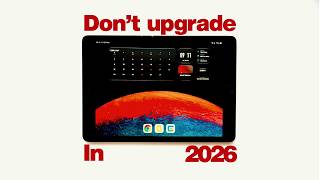
You don't have to overpay for an iPad in 2026. Here's why
2.1K views