
how I turned my old iPad into a productivity powerhouse (minimalist setup + FREE apps)
I’ve been using my iPad 9th gen for the past 4 years — every single day. And despite its age, I’ve built a minimalist and distraction-free setup that makes this old device incredibly useful even in 2025. In this video, I’ll show you how I use it for focus, content creation, casual entertainment, and even as a second screen for work. From essential free apps to simple productivity hacks — here’s how I turned an outdated tablet into a powerful tool for a modern minimalist life. ⚡️Whether you’re thinking of reviving your old iPad or just love seeing functional setups — this one’s for you. 👇 Chapters & timestamps below 👇 00:18 – Intro 00:18 – The iPad + accessories I use 01:20 – Use cases & minimalist philosophy 02:07 – My settings to eliminate distractions 03:57 – Productivity features I love 06:25 – Home screen tour: Apps & widgets 08:38 – Final thoughts & outro 👉 Follow me on Twitter: https://x.com/hey_nikitsol 👉 Follow me on Instagram: / hey_nikitsol ✉️ GET IN TOUCH: For inquiries or just to chat, email me at hey.nikitsol@gmail.com. I’ll try to reply fast, but I’m probably busy living life offline.
About This Video
Frequently Asked Questions
🎬 More from Nik Sol
My Minimalist Phone Setup That Kills Distractions (Just Copy It)
3.8K views
My Night System That Fixed My Entire Day & Made Me More Productive
1.8K views
You Don’t Need a Fancy Desk Setup in 2026 (This Works Better)
34.0K views
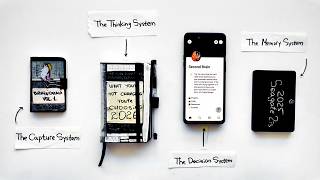
The Simple System That Runs My Entire Life
24.4K views
My Entire Productivity System Fits in My Pocket (Steal It)
38.8K views
You don't have to overpay for an iPad in 2026. Here's why
2.1K views