
Stop Paying Anthropic $200/Month for Claude Code
🛍️ Products Mentioned (5)


🚀 Access ALL video resources & get personalized help in my community: https://www.skool.com/agentic-labs/about?ref=3fd61190e13d426dbf4f3b38adc7de69 🔗 Sign up to Z.AI: https://z.ai/subscribe?ic=FAOW6XG5LH 💬 My AI voice-to-text software (Wispr Flow): https://wisprflow.ai/r?WALTER67 ☕ Buy me a coffee: https://www.buymeacoffee.com/leonvanzyl 💵 Donate using PayPal: https://www.paypal.com/ncp/payment/EKRQ8QSGV6CWW Learn how to use cheaper AI models in Claude Code CLI with GLM 4.7 from ZAI. In this tutorial, you'll discover how to replace expensive Claude Sonnet and Opus models with ZAI's GLM 4.7 at a fraction of the cost. I'll show you how to configure your settings.json file, set up the API key, and route all inference calls through ZAI while keeping access to all Claude Code features like subagents, MCP servers, and custom commands. ⏰ TIMESTAMPS: 00:00 Claude Code pricing problem 00:25 GLM 4.7 models from ZAI 00:38 Cost comparison Claude vs ZAI 01:50 ZAI developer showcase 02:05 Using GLM 4.7 in Claude Code CLI 02:30 Settings.json configuration 03:05 Environment variables explained 04:15 Global vs project level settings 05:15 Settings.local.json for API key security 05:45 Gitignore setup 05:57 Getting your ZAI API key 06:34 Running Claude Code with GLM models 06:56 Skipping onboarding workaround 08:16 Claude Code features with ZAI models 09:00 Checking API usage #claudecode #agenticcoding #vibecoding
About This Video
Frequently Asked Questions
🎬 More from Leon van Zyl
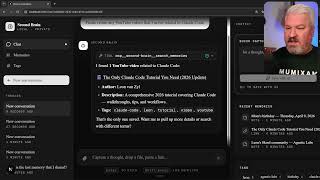
I Built an AI Second Brain Using Claude Code
2.1K views

Paperclip is Insane - I Built a Full AI Company
8.5K views

The Only Claude Code Tutorial You Need (2026 Update)
6.0K views

Claude Code: From Prompt to Product in One Session
3.4K views

Building Beautiful UIs in Minutes with Claude Code and Stitch
14.1K views

Claude Code Skills Changed Everything (And Nobody Noticed)
20.8K views