
Building Beautiful UIs in Minutes with Claude Code and Stitch
🛍️ Products Mentioned (2)


In this video you will learn how to combine Claude Code with Google Stitch to design and build beautiful UIs for your web applications. 🌐 Bright Data (Sponsor) Use Code LEONVANZYL To Get $20 Free Credits: https://brdta.com/leonvanzyl 🚀 Join 700+ builders learning AI automation & agentic coding: https://www.skool.com/agentic-labs Google Stitch is a free AI UI design tool from Google that generates professional user interface designs using Gemini models. You will learn how to set up the Stitch MCP server in Claude Code, create projects and generate designs directly from the terminal, pull down a reusable design system, create a UI review sub agent to enforce design consistency, and recreate the Stitch pages in your Next.js project using the HTML download method for pixel perfect results. ⏰ TIMESTAMPS: 00:00 Google Stitch and Claude Code Introduction 00:33 What is Google Stitch 01:05 Why Gemini models are better for UI design 01:29 Generating designs in Stitch 02:48 Instant prototype preview in Stitch 03:04 Why use Stitch over frontend design skills 04:14 Design first workflow explained 04:48 Setting up the Stitch MCP server in Claude Code 06:01 Creating the MCP config and API key 07:06 Claude Code creating projects on Stitch 08:00 Building the Cloud Fit demo app design 08:51 Bright Data sponsor segment 10:28 Iterating designs via Claude Code and Stitch 11:04 Pulling down the design system 11:55 Adding design system to Claude.md 12:23 Creating a UI review sub agent 13:36 Implementing the design system in Next.js 15:08 Recreating Stitch pages in the codebase 16:46 Pro tip for downloading HTML from Stitch 17:28 Claude Code building the final Next.js app 18:19 Fastest way to iterate on UI designs Business & sponsorship enquiries: leon.vanzyl@gmail.com #claudecode #vibecoding #agenticcoding
About This Video
Frequently Asked Questions
🎬 More from Leon van Zyl
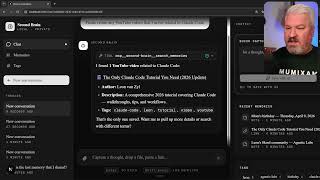
I Built an AI Second Brain Using Claude Code
2.1K views

Paperclip is Insane - I Built a Full AI Company
8.5K views

The Only Claude Code Tutorial You Need (2026 Update)
6.0K views

Claude Code: From Prompt to Product in One Session
3.4K views

Claude Code Skills Changed Everything (And Nobody Noticed)
20.8K views

5x More Context in Claude Code - Here's How to Actually Use It
7.2K views