
Let's Build an MCP Server (Step by Step Tutorial)
🛍️ Products Mentioned (5)


🚀 Access ALL video resources & get personalized help in my community: https://www.skool.com/agentic-labs/about?ref=3fd61190e13d426dbf4f3b38adc7de69 Learn how to create custom tools for AI agents by building your own Model Context Protocol (MCP) server that integrates with Claude, Cursor, and other AI applications. This tutorial shows you how to implement a to-do list application with SQLite that can be accessed by multiple AI assistants. 🙏 Support My Channel: Buy me a coffee ☕ : https://www.buymeacoffee.com/leonvanzyl PayPal Donation: https://www.paypal.com/ncp/payment/EKRQ8QSGV6CWW 📑 Useful Links: MCP Docs: https://modelcontextprotocol.io/quickstart/server Source code: https://github.com/leonvanzyl/todo-mcp-server 🕒 TIMESTAMPS: 00:00 - Intro 04:32 - Project setup 06:30 - Creating MCP Server 07:55 - MCP Transports Explained 10:21 - Adding tools to MCP Server 14:49 - Adding MCP Server to MCP Clients 15:17 - Adding MCP Server to Claude Desktop 19:10 - Adding MCP Server to Cursor IDE 20:10 - Adding a Database 23:30 - Create DB Table 24:39 - Adding DB Operations 28:44 - Adding Operations to Actions
🎬 More from Leon van Zyl
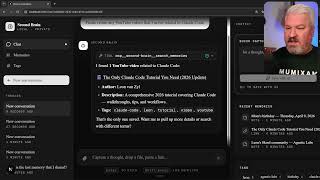
I Built an AI Second Brain Using Claude Code
2.1K views

Paperclip is Insane - I Built a Full AI Company
8.5K views

The Only Claude Code Tutorial You Need (2026 Update)
6.0K views
Claude Code: From Prompt to Product in One Session
3.4K views

Building Beautiful UIs in Minutes with Claude Code and Stitch
14.1K views
Claude Code Skills Changed Everything (And Nobody Noticed)
20.8K views