
How To Use Claude Code (Claude Code Tutorial)
🛍️ Products Mentioned (4)


🚀 Access ALL video resources & get personalized help in my community: https://www.skool.com/agentic-labs/about?ref=3fd61190e13d426dbf4f3b38adc7de69 💬 My AI voice-to-text software (Wispr Flow): https://wisprflow.ai/r?LEON114 ☕ Buy me a coffee: https://www.buymeacoffee.com/leonvanzyl 💵 Donate using PayPal: https://www.paypal.com/ncp/payment/EKRQ8QSGV6CWW 📺 More Claude Code Tutorials: https://www.youtube.com/watch?v=50tzzaOvcO0&list=PL4HikwTaYE0FRIBAw9b1TREYXd0heqDlc&index=4 How to use Claude Code for BEGINNERS. Master Claude Code with a complete workflow that works every single time - no coding experience required! ⚡ WHAT YOU'LL BUILD/LEARN: 🔹 Build a complete budget tracking app from scratch using Claude Code 🔹 Master essential Claude Code workflows and best practices 🔹 Create custom memory files and slash commands for better productivity 🔹 Set up automated hooks and audio notifications for long processes 🔹 Use planning mode to create technical implementation documents 🔹 Implement version control with commits and rollbacks 🎯 PERFECT FOR: ✅ Claude Code beginners wanting to learn proper workflows ✅ Developers looking to maximize AI coding productivity ✅ Anyone wanting to build full-stack apps without manual coding 🛠️ TOOLS COVERED: Claude Code (AI-powered coding assistant) Next.js (Full-stack React framework) SQLite (Lightweight database solution) Drizzle ORM (Database connection layer) Terminal Setup (Command line optimization) Git Version Control (Project checkpoints) Custom Hooks (Automation triggers) Cursor (Code editor integration) ⏰ DETAILED TIMESTAMPS: 00:00 - Introduction to Claude Code best practices 00:20 - Starting Claude Code and permission modes 01:06 - Terminal setup and workspace optimization 02:06 - Setting up Next.js project structure 03:14 - Adding SQLite database and Drizzle ORM 04:14 - Understanding Claude Code's todo lists 05:02 - Running the development server 05:41 - Creating Claude.md memory files 07:01 - Adding custom memory rules with hashtags 08:12 - Using /init command for automatic setup 09:16 - Building the budget tracking application 11:18 - Fixing styling and error handling issues 13:39 - Creating commits and version control 15:43 - Context management with /clear and /compact 17:23 - Creating custom slash commands 19:43 - Planning mode vs auto-accept modes 21:12 - Creating PRDs and implementation plans 24:02 - Implementing technical specifications 26:00 - Setting up custom hooks for notifications 29:00 - Processing images for styling themes #ClaudeCode #AIAutomation #NoCode
🎬 More from Leon van Zyl
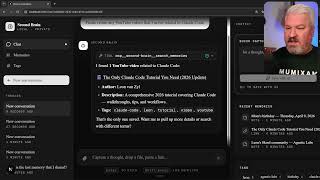
I Built an AI Second Brain Using Claude Code
2.1K views

Paperclip is Insane - I Built a Full AI Company
8.5K views

The Only Claude Code Tutorial You Need (2026 Update)
6.0K views

Claude Code: From Prompt to Product in One Session
3.4K views

Building Beautiful UIs in Minutes with Claude Code and Stitch
14.1K views

Claude Code Skills Changed Everything (And Nobody Noticed)
20.8K views