
How to Add MCP Servers to AI Agents (FlowiseAI Tutorial)
🛍️ Products Mentioned (4)


🚀 Access ALL video resources & get personalized help in my community: https://www.skool.com/agentic-labs/about?ref=3fd61190e13d426dbf4f3b38adc7de69 Learn how to supercharge your Flowise agents by adding MCP (Model Context Protocol) servers for real-time documentation access. This step-by-step tutorial shows you how to upgrade from basic LLM nodes to powerful agent nodes that can call tools and retrieve up-to-date documentation using Context7 MCP integration. Follow along as we enhance a software development AI team and build a Flowise assistant that accesses the latest Next.js, Tailwind, and Flowise documentation in real-time. Perfect for developers looking to build smarter AI agents that provide accurate, current information instead of outdated responses. Includes complete setup instructions for custom MCP server configuration, tool calling demonstrations, and practical examples you can implement immediately in your own Flowise workflows. 🙏 Support My Channel: Buy me a coffee ☕ : https://www.buymeacoffee.com/leonvanzyl PayPal Donation: https://www.paypal.com/ncp/payment/EKRQ8QSGV6CWW 📑 Useful Links: Flowise Cloud: https://cloud.flowiseai.com/register?via=leonvanzyl Flowise v3 Playlist: https://www.youtube.com/playlist?list=PL4HikwTaYE0FFKifDJcgnP23LjGAZjzL8 Use local models: https://youtu.be/GE9IlksvGiU 🕒 TIMESTAMPS: 00:00 - Introduction & MCP Enhancement Request 00:42 - What is MCP (Model Context Protocol)? 01:34 - Context7 Documentation Repository Overview 01:49 - Replacing LLM Node with Agent Node 03:23 - Adding Custom MCP Server to FlowWise 04:47 - Testing Enhanced Software Development Team 05:15 - Analyzing MCP Tool Usage & Results 06:48 - Building Flowise Assistant Example 07:56 - Testing Flowise Assistant with Real Documentation #flowise #aiagents #mcpserver
🎬 More from Leon van Zyl
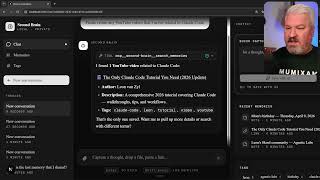
I Built an AI Second Brain Using Claude Code
2.1K views

Paperclip is Insane - I Built a Full AI Company
8.5K views

The Only Claude Code Tutorial You Need (2026 Update)
6.0K views

Claude Code: From Prompt to Product in One Session
3.4K views

Building Beautiful UIs in Minutes with Claude Code and Stitch
14.1K views

Claude Code Skills Changed Everything (And Nobody Noticed)
20.8K views