
Replacing My UniFi Wireless Access Points with Grandstream!
🛍️ Products Mentioned (3)
I recently replaced my 3 UniFi WiFi 5 wireless access points with 3 Grandstream access points (2 WiFi 7 and 1 WiFi 6). In theory, swapping access points and using the same SSID/password should make the transition seamless. However, I also decided to consolidate from 4 SSIDs to a single SSID by using PPSK so I could still put clients on different VLANs. The great thing about using PPSK is that I can essentially put devices on any of my VLANs without needing to have a fixed, limited number of SSIDs by creating a key (password) per VLAN. It is more flexible and doesn’t pollute the WiFi radio spectrum like having multiple SSIDs broadcasting on different channels. However, I encountered a few issues, one of which was my fault for not ensuring everything was up to date. I discuss the unexpected issues and how I resolved them in this video. Just like when I was first learning how to configure my UniFi APs, I had to learns the various in's and out's of configuring the Grandstream APs as well as determine the configuration which works best for my physical environment where I am running the APs. Once I worked through a few issues, I am pleased with the outcome since I am able to get 200-300 Mbps more throughput (even on just the 5GHz spectrum on my WiFi 6 clients) and increased range. I had considered getting 2 outdoor APs for the front and backyards of my house but now coverage is good enough I may not need to invest in outdoor APs! I still have one spot on the far corner of the yard where the signal drops sometimes but I don't believe it's enough to warrant the need for an outdoor AP. Affiliate links: Grandstream GWN7660 AP: https://amzn.to/3EhqXwt UniFi nanoHD AP: https://amzn.to/4cEGN0A Non-affiliate links: Grandstream GWN7670 AP: https://www.ipphone-warehouse.com/grandstream-gwn7670-wi-fi-7-access-point/ Chapters: 00:00 Introduction 02:10 Disclosure 02:45 Mounting the access point 03:43 Swapping APs should be easy, right? 04:58 Problems encountered 06:17 Discovery of the issue 09:01 Working but poor performance 10:45 Lessons learned 13:18 WiFi has been functioning well! EP70 Join this channel to get access to perks: https://www.youtube.com/channel/UCvdHQkQv8KpwMnKkitmUVTQ/join
🎬 More from Home Network Guy

Channel Update (June 2026)
406 views
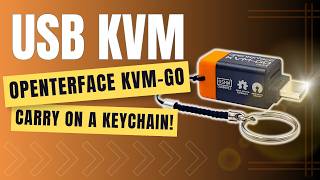
USB KVM that You Can Put on a Keychain | Openterface KVM-GO
1.6K views

OpenVPN DCO Tested — Significant Performance Gains
636 views
SecureNet -- A Preconfigured Secure Home Network Solution by Open Source Security (OSS)
1.2K views

OPNsense Transparent Filtering Bridge (v26.1)
3.5K views

Sipeed NanoKVM Pro: A Remote IP KVM Solution with Unique Features
1.8K views