
How to Create DEM from Point data in ArcGIS: Process of Digital Elevation Model Generation Explained
🛍️ Products Mentioned (2)

#DEMGeneration #ArcGISTutorial #DigitalElevationModel #DEMFromPoints #GISProcessing #TerrainModeling #SpatialAnalysis This tutorial shows how to create a high-quality Digital Elevation Model (DEM) from point elevation data in ArcGIS. I explain the full workflow: preparing and cleaning point data, selecting interpolation methods, setting cell size and extent, running interpolation tools, and performing post-processing. You’ll see practical tips for choosing parameters, handling large datasets, and validating DEM accuracy. The demo uses ArcGIS tools and best practices to ensure reliable terrain models for hydrology, terrain analysis, and visualization. Follow along with your data, pause where needed, and ask questions in the comments — subscribe for more GIS tutorials and project-based walkthroughs. Buy me a coffee here: https://buymeacoffee.com/geojay For business and enquiries: WhatsApp+2347065365193 or Email: geojaygis@gmail.com WhatsApp Group: https://chat.whatsapp.com/CvvLBo7YisgIClQgzL7WOa Facebook Group: https://www.facebook.com/share/g/1Fn4oQzn1L/ dem from points, create dem from points, dem from point data, generate dem arcgis, dem arcgis tutorial, arcgis dem creation, arcgis dem from points, digital elevation model arcgis, dem generation arcgis, dem interpolation arcgis, create dem arcgis pro, arcgis pro dem tutorial, interpolation idw arcgis, kriging arcgis tutorial, spline interpolation arcgis, arcgis interpolation methods, point to raster arcgis, points to raster arcgis, arcgis point interpolation, create terrain model arcgis, dem workflow arcgis, dem processing arcgis, dem post processing, fill sinks arcgis, smooth dem arcgis, hillshade arcgis tutorial, contour from dem arcgis, validate dem accuracy, dem validation arcgis, compare contours dem, raster resampling arcgis, set cell size arcgis, set raster extent arcgis, handle large datasets arcgis, arcgis spatial analyst dem, arcgis geostatistical analyst dem, arcgis tools dem, arcgis pro toolbox dem, generate contours arcgis, dem for hydrology, dem for watershed analysis, dem for terrain analysis, dem for slope aspect, compute slope arcgis, compute aspect arcgis, contour generation arcgis, create hillshade arcgis, shaded relief arcgis, terrain visualization arcgis, dem metadata arcgis, dem units and projection, reproject dem arcgis, arcgis coordinate system dem, dem accuracy assessment, cross validation dem, kriging cross validation, idw parameters arcgis, spline parameters arcgis, choose interpolation method, best interpolation for dem, interpolate irregular points, interpolate elevation points, lidar point to dem, gps points to dem, survey points to dem, bathymetric points dem, topographic points dem, topo to dem arcgis, points cleaning arcgis, remove outliers points, point attribute editing, points z field arcgis, point elevation field, interpolate using z values, create raster from xyz, xyz to raster arcgis, ascii to raster arcgis, csv to point arcgis, import point data arcgis, geoprocessing dem arcgis, batch dem generation, automated dem processing, model builder dem, arcgis model builder dem, dem python scripting, arcpy dem generation, arcpy interpolate, python arcgis dem, script dem creation, dem workflow automation, arcgis pro dem demo, step by step dem arcgis, beginner dem tutorial, advanced dem tutorial, dem best practices, choose cell size dem, sampling resolution dem, resolution vs accuracy dem, mosaic dem tiles, merge dem rasters, clip dem arcgis, mask dem arcgis, extract by mask dem, zonal statistics dem, dem derivatives arcgis, create TIN from points, tin to raster arcgis, tin vs raster dem, generate TIN arcgis, interpolate to tin arcgis, convert TIN to raster, dem smoothing techniques, dem filtering arcgis, gaussian filter dem, focal statistics dem, focal mean dem, remove sinks dem, hydrological correction dem, pit removal dem, fill depressions dem, stream network from dem, flow direction dem, flow accumulation dem, create watershed dem, delineate watershed arcgis, terrain preprocessing arcgis, DEM for modeling, DEM for flood modeling, DEM for erosion modeling, DEM for urban planning, DEM for infrastructure, DEM for forestry, DEM for agriculture, DEM for geology, DEM for mining, DEM for slope stability, DEM for landslide analysis, DEM for viewshed analysis, visibility analysis dem, line of sight dem arcgis, DEM hillshade color ramps, DEM color stretch, export dem to geotiff, share dem webmap, publish dem service, tiled raster service dem, elevation service arcgis, basemap with dem, GIS dem tutorial, GIS terrain modeling, GIS elevation analysis, spatial analysis dem, geoprocessing tools dem, ArcToolbox dem, Spatial Analyst extension, Geostatistical Analyst extension, DEM from survey points, DEM from LiDAR points, DEM from GPS points, DEM from UAV points, interpolation accuracy tips, documentation for dem, tutorials for dem generation, YouTube dem arcgis tutorial, dem generation step by step
About This Video
Frequently Asked Questions
🎬 More from Geojay GIS Solution
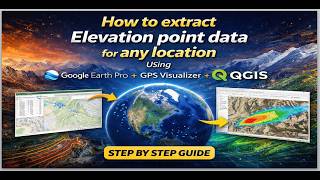
How to extract Elevation point data for any location Using Google Earth Pro + GPS Visualizer + QGIS
26 views
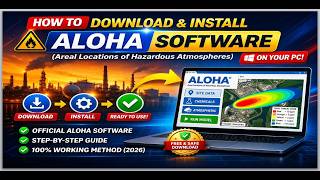
How to download and install ALOHA Software: Areal Locations Of Hazardous Atmospheres on your PC
22 views
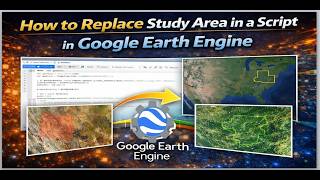
How to Replace Study Area in a Script in Google Earth Engine
25 views

Download and install Original Office Professional 2021 for Windows in 2026 in Less than 4 Minutes
96 views
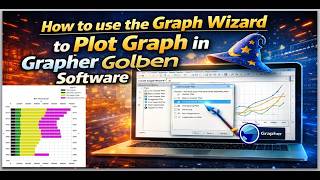
How to use the Graph Wizard to Plot Graph in Grapher Golden Software
21 views

WhatsApp Desktop Login Problem FIXED || WhatsApp QR Code Not Scanning Solution in 2026
51 views