
Skip YouTube Ad reads & Sponsors on Android with SponsorBlock!
🛍️ Products Mentioned (6)


Want to skip YouTube ads, long intros, or annoying sponsor segments? In this video, I’ll show you how to install and use SponsorBlock on Android. SponsorBlock is a free, open-source extension that automatically skips sponsored content, self-promotion, and filler in YouTube videos. Sponsor block website https://ishortn.ink/ksrcOHHQ7 👉 What you’ll learn: How to set up SponsorBlock on Android How it works with YouTube apps and browsers Customizing categories to skip (sponsors, intros, end screens & more) Tips to get the most out of SponsorBlock This will save you time and frustration while watching your favourite creators. 🔗 Links & resources mentioned in the video are below 👇 🌐 Home Lab Website: https://ishortn.ink/mI5DUxUTy 🌐 Business Website https://ishortn.ink/9bwfRFJMO 📧 Email: corecomputingsystems@gmail.com 🔵 Patreon: https://ishortn.ink/4SMdzRYAh 🌐 GitHub EFI's https://ishortn.ink/4lcchfNf2 📱 Facebook group: https://ishortn.ink/GEanAsLDz
About This Video
Frequently Asked Questions
🎬 More from Core Computing
Core Computing Update: Why I’ve Been Offline
44 views

Email Masking gives you unlimted Software Trials (DxO PhotoLab Example) 100 Percent free and legal
97 views
SponsorBlock on iOS: It’s Finally Possible!
347 views
🔥 Is this Netflix & Amazon Prime Video downloader actually worth using, or is it just hype? 🔥
133 views
Updating Xpenology (Synology) on ANY Hardware Just Got Way Easier!
3.6K views
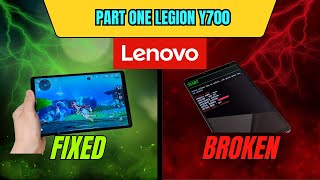
A Subscriber Sent Me a Soft-Bricked Lenovo Legion Y700 Part 1
253 views