
unreal engine 5 3d environment tutorial | Hindi | For Beginners
🛍️ Products Mentioned (1)
In this video, I will show you how to create a realistic forest wooden house environment in Unreal Engine 5 – explained completely in Hindi for beginners. This is a full step-by-step tutorial where we build everything from landscape to lighting. No advanced knowledge required. Perfect for: • Students learning Unreal Engine • Beginner game developers • 3D environment artists • Indian creators looking for Hindi UE5 tutorials By the end of this video, you will understand how to create a complete outdoor environment scene inside Unreal Engine 5. If this helps you, don’t forget to like, share and subscribe for more Hindi Unreal Engine tutorials. By me a cofee - https://patreon.com/bfxFactory? Mail - bfxfactory01@gmail.com Instagram - https://www.instagram.com/bfx_factory/?hl=en #UE5Hindi #UnrealEngineIndia #3DEnvironment #ForestScene #BeginnerTutorial
About This Video
Frequently Asked Questions
🎬 More from BFX Factory

Unreal Engine Live 3D Environment
370 views

Recreating Argonath in Unreal Engine 5.7
857 views

Unreal Engine 5 Character Animation Tutorial In Hindi | BFX Factory
507 views

UE5.7 Cinematic Render Tutorial in Hindi
828 views

Remove Texture Repeatation with Texture Bombing | In Hindi
270 views
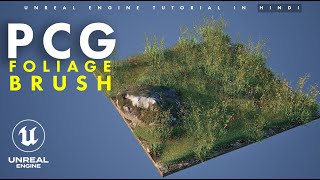
Unreal Engine 5.7 | PCG Foliage Paint | In Hindi
2.3K views