
Aqara Multi State Sensor P100 Review and Setup, Zigbee, Thread, Tilt, Vibration and Triple Tap
In this video, I take a detailed, real world look at the Aqara Multi State Sensor P100, including setup, calibration, tilt detection, triple tap detection, and a practical automation demo. Unlike a traditional door and window sensor that needs two separate pieces, the Aqara P100 uses a single compact sensor to detect open and closed status, tilt angle, vibration, movement, falling events, and even triple tap actions. According to the user manual, it is a nine axis sensor designed for door and window detection, valuable item protection, reminders, and event based automations.  One of the biggest advantages of the P100 is flexibility. It can be used on doors, windows, drawers, cupboards, and other objects where you want to detect state changes or movement. In Zigbee mode, Aqara also supports an Item Guard style mode for stationary objects, including detection of vibration, movement, falling, opening and closing, tilting, and triple tapping. The manual even gives examples such as mailbox tilt alerts, drawer monitoring, medicine reminders, and cane fall alerts.  In this video, I show what is in the box, how to pair the sensor in Aqara Home, how to switch protocol, and how to calibrate it correctly. The manual confirms that you can join it through Matter over Thread or through Zigbee, and that switching protocol resets the device settings and data, so it is worth choosing the right mode from the start.  I also demonstrate how the sensor can be used in different ways: • Open and close detection for doors and windows • Triple tap actions for custom notifications or automations • Tilt and orientation detection • Object tracking and movement based use cases • Automation triggers for lights, alerts, and reminders Another nice touch is that Aqara includes replacement adhesive pads in the box, which is useful when you eventually need to replace the battery. The user manual lists the battery as a CR2450, with Zigbee, Thread, and Bluetooth listed under wireless protocols. It also notes that after changing the sensor position, you should recalibrate it, and that strong vibration, motors, or magnetic fields can affect accuracy.   Overall, this looks like one of Aqara’s most versatile small sensors so far. It is compact, clever, and opens up far more automation possibilities than a normal contact sensor. Aqara kindly sent this sensor out for me to test and review, but all opinions in this video are entirely my own. ⸻ Other creators I recommend checking out • Shane Whatley at @ShaneCreates • Stuart at @StusReviewsUK • @homekitnews • Eric Welander at @EricWelander • @AppleHomeAuthority • Paul Hibbert at @paulhibbert These channels provide excellent smart home content and are well worth your time. ⸻ Chapters 00:00 Intro 00:52 What’s in the box 01:40 Setup and calibration 05:22 Triple tap 06:04 Tilt setting 07:27 Demo 08:28 Final thoughts ⸻ If you found this video helpful, please consider liking and subscribing. It genuinely helps the channel grow and allows me to keep making detailed smart home reviews and setup videos. If you have any questions about the Aqara P100, Zigbee, Thread, calibration, or automation ideas, leave a comment below and I will do my best to help.
🎬 More from Andy's Reviews & Smart Home Tips

Aqara Smoke Detector Review and Setup, M3 Hub, Apple Home, Alexa and Home Assistant
1.1K views
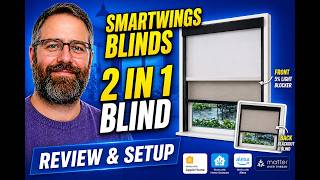
SmartWings Smart Blinds Review & Installation, Matter Over Thread, HomeKit, Alexa and Home Assistant
489 views

Shelly Presence Gen 4 Review and Setup, mmWave Sensor, Home Assistant, HomeKit and Aqara
974 views

Aqara G350 Camera Hub Review and Setup, Matter 1.5, 4K, HomeKit, Alexa and Home Assistant
375 views

Shelly Duo Bulb Gen 3 Review and Setup, Home Assistant, Apple Home, Alexa and Aqara
201 views

Shelly Plus Plug UK Review and Setup, Home Assistant, Alexa, Apple Home and Aqara
342 views