
Shelly Duo Bulb Gen 3 Review and Setup, Home Assistant, Apple Home, Alexa and Aqara
🛍️ Products Mentioned (2)
In this video, I take a detailed, real world look at the Shelly Duo Bulb Gen 3, including setup in the Shelly app, Home Assistant, Apple Home, Alexa, Aqara, a full settings walkthrough, and a real automation demo using presence detection. This is Part 2 of a 3 part Shelly series, following the Shelly Plus Plug UK, and next up will be the Shelly Presence Gen4, where I will combine all three devices into more advanced automations. The Shelly Duo Bulb Gen 3 is a WiFi and Bluetooth smart bulb with an E27 fitting, designed to deliver adjustable white lighting (warm to cool), strong brightness, and fast response across multiple smart home platforms. In this video, I show: • what is in the box • setup in the Shelly app • brightness and colour temperature control • a walkthrough of the Shelly app settings • adding it into Home Assistant • bridging it into Apple Home using Matter Bridge • how it appears in Aqara • cross platform control across all systems • voice assistant control with Alexa and Siri • a real automation using a presence sensor • a live demo showing responsiveness One of the biggest surprises with this bulb is just how bright it is, even at partial brightness levels. It also responds extremely quickly, which is one of the advantages of using a WiFi based smart bulb rather than relying purely on Zigbee routing. Inside the Shelly app, you get access to a wide range of settings, including: • brightness control • colour temperature (warm to cool white) • power monitoring (wattage, voltage, consumption) • activity logs • timers and schedules • actions and scenes • night mode • WiFi and Bluetooth settings • firmware updates • power-on behaviour • minimum brightness and transition control I also demonstrate how well this bulb works across multiple ecosystems. When you change brightness or power state in one app, it updates almost instantly across: • Shelly • Home Assistant • Apple Home • Aqara • Alexa This is exactly what you want in a reliable smart home setup. For the automation demo, I use a presence sensor to automatically turn the light on when someone enters the landing, and off again when no presence is detected. This is a simple but very effective real world use case. Shelly sent this bulb (along with the other devices in this series) for review, but this is not a paid promotion. All opinions are my own, and they had no control over the content of this video. If you are looking for a bright, responsive smart bulb that works across multiple platforms, this video should give you a clear idea of whether the Shelly Duo Bulb Gen 3 is right for your setup. ⸻ Product links Shelly Duo Bulb Gen 3 (E27) Amazon UK: https://amzn.to/3OBgqkR Shelly Plus Plug UK (Part 1) https://amzn.to/4u1Aax8 Shelly Presence Gen4 (Part 3) Coming soon to Amazon Some of the links above are Amazon affiliate links, which means I may earn a small commission if you buy through them, at no extra cost to you. ⸻ Other creators I recommend checking out • Shane Whatley @ShaneCreates • Stuart @StusReviewsUK • Simon @homekitnews • Eric Welander @EricWelander • John @AppleHomeAuthority • Paul Hibbert @paulhibbert • Craig @CraigsTechTalk These channels provide excellent smart home content and are well worth your time. ⸻ Chapters 00:00 Intro 01:01 What’s In The Box 02:10 Setup In Shelly 03:36 Shelly App Settings 06:03 Home Assistant 07:21 HomeKit 09:30 Aqara 10:42 Cross Platform Control Demo 11:38 Voice Assistant Demo 12:08 Automation Setup & Demo 13:56 Final Thoughts 1 14:32 Alexa Integration 15:43 Final Thoughts 2 17:02 Outro ⸻ If you found this video helpful, please consider liking and subscribing. It genuinely helps the channel grow and allows me to keep making detailed smart home reviews and setup guides. If you have any questions about the Shelly Duo Bulb Gen 3, Home Assistant, Apple Home, Alexa, Aqara, or smart lighting automations, leave a comment below and I will do my best to help. You can also email me at Andy@andysreviews.co.uk if you need to ask something more detailed.
🎬 More from Andy's Reviews & Smart Home Tips

Aqara Smoke Detector Review and Setup, M3 Hub, Apple Home, Alexa and Home Assistant
1.1K views

SmartWings Smart Blinds Review & Installation, Matter Over Thread, HomeKit, Alexa and Home Assistant
489 views

Shelly Presence Gen 4 Review and Setup, mmWave Sensor, Home Assistant, HomeKit and Aqara
974 views

Aqara G350 Camera Hub Review and Setup, Matter 1.5, 4K, HomeKit, Alexa and Home Assistant
375 views
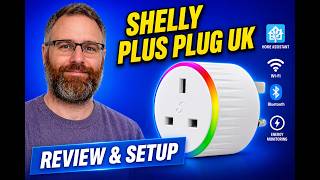
Shelly Plus Plug UK Review and Setup, Home Assistant, Alexa, Apple Home and Aqara
342 views

Meross MS130 Temperature & Humidity Sensor Review, Matter, Apple Home, Aqara & Home Assistant Setup
325 views