
Aqara G400 PoE Doorbell Review and Setup, Apple Home, HomeKit Secure Video and Home Assistant
In this video, I take a detailed, real world look at the Aqara Smart Video Doorbell G400, including installation, Aqara app setup, Apple Home setup, menu walkthrough, Home Assistant integration, and a demo of the doorbell in daily use. The Aqara G400 is a PoE video doorbell, which means it can be powered using Power over Ethernet for a cleaner and more reliable installation. If you do not have a PoE switch, you can still use an ethernet connection for data and supply power separately, which gives you more flexibility depending on your setup. This doorbell supports local recording via microSD card, fast notifications when the bell is pressed, and video call style answering directly from your phone. It also integrates with Apple Home, giving you HomeKit Secure Video, HomePod chimes, Apple TV pop ups, and all the usual Apple Home automation options. For Home Assistant users, I also show how to bring the camera feed into Home Assistant using RTSP. In the video, I walk through the Aqara app setup, firmware check, Apple Home pairing, and a detailed menu tour so you can see the main settings and features before buying. I also cover things like: • Local microSD recording • Cloud recording options • Custom ringtones and quick replies • LED indicator settings • Motion and AI detection settings • Face, package, animal, vehicle and fire detection options • Virtual fence setup • Tamper alarm protection • Privacy masking • Brightness and night vision settings • HomeKit and Home Assistant integration I also demonstrate how the doorbell works in practice, including call notifications, video and audio quality, Apple TV pop ups, and HomePod announcements. This is an honest review. Aqara kindly sent me this unit to test and review, but they had no control over what I say in this video, and all opinions are entirely my own. If you are looking for a smart PoE doorbell with local recording, Apple Home support, and Home Assistant compatibility, this video should give you a clear idea of whether the Aqara G400 is right for your smart home. If you found this video helpful, please consider liking and subscribing. It genuinely helps support the channel and allows me to keep making detailed smart home reviews and setup guides. If you have any questions about the Aqara G400, Apple Home, Home Assistant, or local recording, leave a comment below and I will do my best to help. ⸻ Chapters 00:00 Intro 00:37 Explainer 02:06 Installation 04:11 Aqara app setup 06:16 Apple Home setup 09:52 Aqara menu walkthrough 18:04 Demo 18:49 Home Assistant 19:43 Final thoughts 21:13 Outro Other creators I recommend checking out: • Shane Whatley at @ShaneCreates • Stuart at @StusReviewsUK • @homekitnews • Eric Welander @EricWelander • @AppleHomeAuthority • Paul Hibbert @paulhibbert • Craig @CraigsTechTalk These channels provide excellent smart home content and are well worth your time.
🎬 More from Andy's Reviews & Smart Home Tips
Aqara Smoke Detector Review and Setup, M3 Hub, Apple Home, Alexa and Home Assistant
1.1K views
SmartWings Smart Blinds Review & Installation, Matter Over Thread, HomeKit, Alexa and Home Assistant
489 views
Shelly Presence Gen 4 Review and Setup, mmWave Sensor, Home Assistant, HomeKit and Aqara
974 views
Aqara G350 Camera Hub Review and Setup, Matter 1.5, 4K, HomeKit, Alexa and Home Assistant
375 views
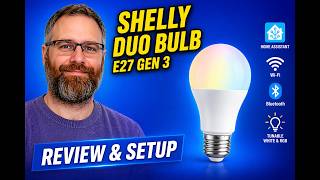
Shelly Duo Bulb Gen 3 Review and Setup, Home Assistant, Apple Home, Alexa and Aqara
201 views
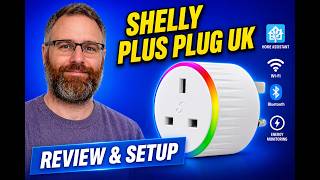
Shelly Plus Plug UK Review and Setup, Home Assistant, Alexa, Apple Home and Aqara
342 views