
Gamma vs Traditional Presentations: The Real Difference
🛍️ Products Mentioned (10)
Try Gamma here
all the Prompts
Try Consensus free or Pro with my link
The link to register and join the 30-day free trial. Experience Collective at
Nord VPN
Opus Clips
started with SEOWriting AI
Want to start a YouTube channel - I would start
Blog
Use the Free Prompt Builder
Gamma AI tutorial for business users. In this video, you will see how to use Gamma to create presentations, websites, documents, charts, diagrams, and LinkedIn carousels faster. I walk through the latest Gamma features, from card-based editing and theme changes through to present mode, Spotlight, analytics, publishing, exporting, and Gamma Agent. Try Gamma here: https://try.gamma.app/2affy2jpv01c Welcome back! This video introduces the current version of the Gamma app, a powerful ai presentation maker that significantly improves your work processes. Discover how to create presentations with ai and leverage its many features to avoid starting with a blank slide. Gamma is truly one of the best ai productivity tools available for crafting engaging ai slides effortlessly. If you want to make better business presentations without spending hours in PowerPoint, Gamma is worth a serious look. This walkthrough shows you how Gamma works for UK business users, consultants, managers, marketers, and anyone who needs to turn ideas into polished communication quickly. In this video, you will learn: How Gamma creates a full presentation from one strong prompt How to change themes and branding in seconds How to add AI images, charts, and smart diagrams How to use Present Mode and Spotlight Mode when presenting How to share Gamma decks and track engagement analytics How to publish Gamma projects as websites How to export to PDF, PowerPoint, Google Slides, PNG, and LinkedIn carousel formats How to use Gamma Agent to improve an existing deck Timestamps 00:00 Intro 00:43 What Gamma is and why it matters 01:14 Gamma basics and card-based editing 01:46 Generating a presentation with a prompt 05:42 Changing themes and branding 07:20 Controlling image style 08:05 Adding charts and editing data 09:06 Creating smart diagrams 09:46 Present Mode and Spotlight Mode 11:05 Presenter view and notes 11:37 Sharing decks and using analytics 12:34 Publishing as a website 13:25 Exporting to PDF, PowerPoint, Google Slides and LinkedIn 14:12 Using Gamma Agent to improve slides 16:11 Final thoughts on where Gamma fits Gamma has moved well beyond simple slide generation. It now sits in a useful space between presentation software, document design, lightweight web publishing, and AI-assisted content creation. In this video, I show you where it works well, where it does not, and how you can use it in a practical business workflow. If you are a business owner, consultant, marketer, trainer, or team leader looking for a faster way to build clear, modern communications, this guide will help. If you found this useful, please like, subscribe, and share the video with someone who still spends far too long formatting slides manually. #Gamma #GammaAI #PresentationDesign #AITools #businessproductivity 🔔 Subscribe for weekly AI guidance for non-technical UK professionals. 🔗 Try Consensus free or Pro with my link: https://get.consensus.app/theprofessorai 🔗 More AI tool tutorials: https://www.youtube.com/playlist?list=PLv3NnKZajcvyjdYbVfw5TJ_oyXuvCl73J Use the Free Prompt Builder - https://www.theprofessor.info/promptbuilder (you will need to log in, but it is FREE) The link to register and join the 30-day free trial. Experience Collective at: https://white.space/request-a-free-trial Nord VPN: https://go.nordvpn.net/aff_c?offer_id=15&aff_id=117754&url_id=902 Opus Clips: https://www.opus.pro/?via=24b63c Get started with SEOWriting AI: https://seowriting.ai/?fp_ref=professor24 (Coupon Code for 25% off - PROFESSOR25) Want to start a YouTube channel - I would start here https://vidiq.com/TheProfessor Connect with me: Twitter/X: @TheProfessorAI Blog: https://www.theprofessor.info/ Get all the Prompts - https://www.theprofessor.info/resourcehub
🎬 More from The Professor-AI

Gemini Omni: 8 Live Demos (The Good, The Bad, The Glitchy)
103 views

Claude Cowork vs Reality: Watch Me Build Projects in Real Time
120 views
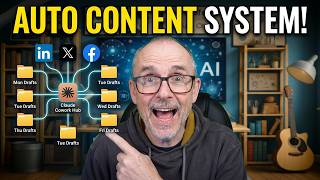
Build Your Own Content Machine Inside Claude Cowork
137 views

Any Document Becomes Audio With This Tool #AItools #tutorial
146 views

Your Board's AI Strategy Might Be Failing
130 views

The productivity trap most companies fall into with AI
117 views