
Gemini Omni: 8 Live Demos (The Good, The Bad, The Glitchy)
🛍️ Products Mentioned (13)
Download the full prompt pack used in every demo — free
Interested in getting genuinely confident with AI? I'm building a course called AI Confident, designed to help you use AI tools with clarity and purpose, not just copy and paste prompts. Join the waitlist here
Theprofessor Product
Try Consensus free or Pro with my link
Use the Free Prompt Builder
The link to register and join the 30-day free trial. Experience Collective at
Use Beehiiv to create your own newsletters
Nord VPN
Opus Clips
started with SEOWriting AI
Want to start a YouTube channel - I would start
Blog
all the Prompts
Gemini Omni creates video from text, images and company briefs. I ran eight live demos to see what it can actually do. Google IO 2026 just happened. One announcement stands out: Gemini Omni, a model that takes text, images or an existing video and produces new video output. I have been testing it in the days since the announcement, running prompts for boardroom scenes, photo-to-video introductions, company briefs turned into executive overviews, LinkedIn-style breakout clips and concept videos about data overload. Some landed. Some hit usage limits and froze. In one, the presenter merged into the table. I am showing you all of it, including what did not work and why. I also cover what else matters from IO 2026: the new Gemini 3.5 Flash model, what Google's AI search push means for how people find information, and whether Gemini is back in the conversation at the frontier. 🔗 ALL PROMPTS FROM THIS VIDEO Download the full prompt pack used in every demo — free 👉 https://www.theprofessor.info/resources/gemini-omni-prompt-pack ⏱️ CHAPTERS 0:00 What Google announced at IO 2026 0:29 About the Professor 0:55 Gemini 3.5 Flash explained 1:44 AI is reshaping Google Search 2:29 The new Gemini interface 3:02 What is Gemini Omni? 3:36 Demo: Boardroom video from a text prompt 4:29 Demo: Turning a photo into a keynote intro 5:06 Demo: Company brief to video 5:44 YouTube Shorts Remix explained 6:11 Creating LinkedIn breakout videos 7:06 Old VO vs Gemini Omni: side by side 8:31 Usage limits and what happens when you hit them 9:50 Data overload concept video 10:26 Guardrails and how to re-prompt around them 12:02 Final thoughts and what's next for Gemini 🧰 WHAT YOU'LL LEARN How to use Gemini Omni to create professional video from a text prompt How to turn a static image into a short keynote introduction video How to convert a company brief into an executive overview video What Gemini Omni's safety guardrails look like, and how to re-prompt when it refuses How Gemini Omni compares to the previous Google VO model in quality and speech What Gemini 3.5 Flash brings and when you would use it over 3.1 Pro Why Google embedding AI into search is a bigger deal than it first appears 🧠 WHO THIS IS FOR Business owners, senior professionals and communications leads who want to know what Gemini Omni can realistically do right now, based on live testing rather than keynote footage. If you are thinking about AI video generation for internal communications, social content or client-facing material, this gives you an honest picture before you commit time or budget. 💡 WHAT YOU COULD DO WITH GEMINI OMNI Turn a written brief or strategy document into a short internal communications video Create a professional intro clip from a headshot, without hiring a video team Produce LinkedIn or social video content from existing text without screen recording Generate concept videos for pitches, proposals or stakeholder presentations Test video ideas before committing to professional production 👋 ABOUT ME I'm Professor Paul Noon. Former British diplomat, former Deputy Vice-Chancellor, now an independent AI adviser and Non-Executive Director helping boards and leadership teams put AI to work properly. 💬 OVER TO YOU What would you actually use Gemini Omni for in your work or business? Drop it in the comments. And if this saved you a few hours of testing, a like genuinely helps the channel reach more people who need it. 🔔 Subscribe for weekly AI guidance for non-technical UK professionals. 🎓 Interested in getting genuinely confident with AI? I'm building a course called AI Confident, designed to help you use AI tools with clarity and purpose, not just copy and paste prompts. Join the waitlist here: https://www.theprofessor.info/ai-confident Subscribe to the weekly AI briefing: https://www.theprofessor.info/newsletter 🔗 Try Consensus free or Pro with my link: https://get.consensus.app/theprofessorai 🔗 More AI tool tutorials: https://www.youtube.com/playlist?list=PLv3NnKZajcvyjdYbVfw5TJ_oyXuvCl73J Use the Free Prompt Builder - https://www.theprofessor.info/resources/prompt-builder (you will need to log in) The link to register and join the 30-day free trial. Experience Collective at: https://white.space/request-a-free-trial Use Beehiiv to create your own newsletters: https://www.beehiiv.com/?via=paul-noon You receive a 14-day trial + 20% OFF for 3 months. Nord VPN: https://go.nordvpn.net/aff_c?offer_id=15&aff_id=117754&url_id=902 Opus Clips: https://www.opus.pro/?via=24b63c Get started with SEOWriting AI: https://seowriting.ai/?fp_ref=professor24 (Coupon Code for 25% off - PROFESSOR25) Want to start a YouTube channel - I would start here https://vidiq.com/TheProfessor Connect with me: Twitter/X: @TheProfessorAI Blog: https://www.theprofessor.info/ Get all the Prompts - https://www.theprofessor.info/resources #GeminiOmni #GoogleIO2026 #AIVideo #AITools #GoogleGemini
🎬 More from The Professor-AI

Claude Cowork vs Reality: Watch Me Build Projects in Real Time
120 views
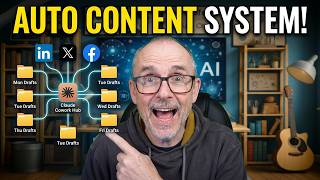
Build Your Own Content Machine Inside Claude Cowork
137 views
Any Document Becomes Audio With This Tool #AItools #tutorial
146 views

Your Board's AI Strategy Might Be Failing
130 views

The productivity trap most companies fall into with AI
117 views
Fastest Method: How to Edit NotebookLM Slides Deck in Minutes
431 views